Amazon Shopping App
Action Bar Framework
1. Project Summary
The product
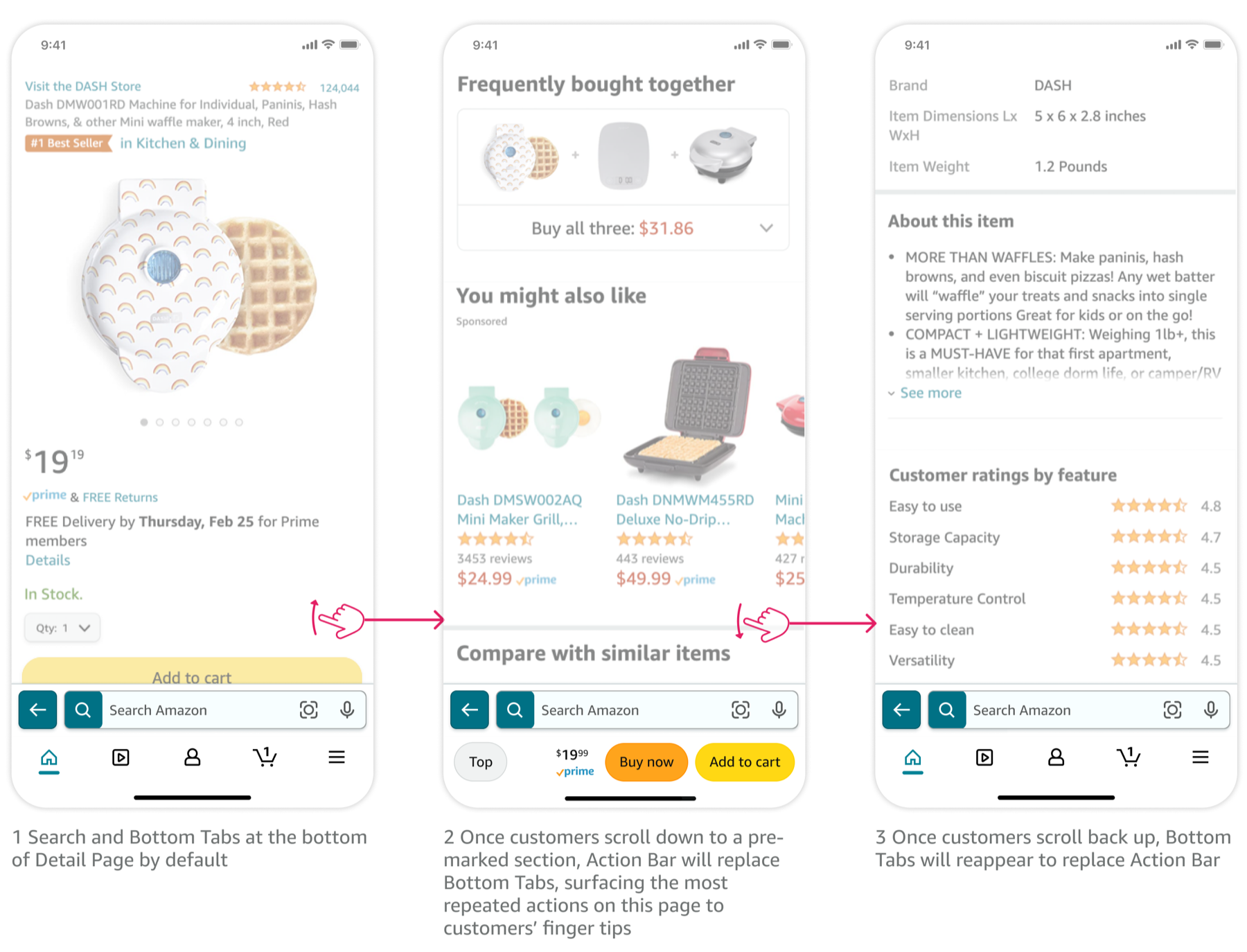
Action Bar is a contextual app navigation bar, located at the bottom of Amazon Shopping App. Action Bar surfaces primary calls-to-action to customers' fingertips, allowing people to take actions quickly and easily. When customers scroll on a product detail page, Action Bar appears and replaces Bottom Tabs (bottom app bar that links to Home, Cart, My Account, etc.), so it doesn't take additional screen real estate.
My biggest contribution
Business impact: 53MM anticipated annual financial gain with the launch of new pattern.
Product stewardship: As a completely design-initiated and design-driven project, I took the initiative to write the product brief given the fact that we didn't have a PM at that time. I advocated for product ownership and guardrails, reviewed the brief with multiple partner teams to find the right product & eng owner for it, and got leadership buy-ins to fund the project as a reusable CX framework across the entire app.
Design architect: Develop Action Bar framework - defined its tenets, use cases, layouts, content, triggering mechanisms, interaction patterns, etc., ensuring we have guardrails to protect the quality of the customer experience, but also enough flexibility so it will scale across different pages and user scenarios.
Design leadership: I drove the project from concept to launch. Developed an experiemnt roadmap to validate tthe design, and baked the learnings into multiple rounds of iterations and eventually the framework.
2. Customer Problems to Solve
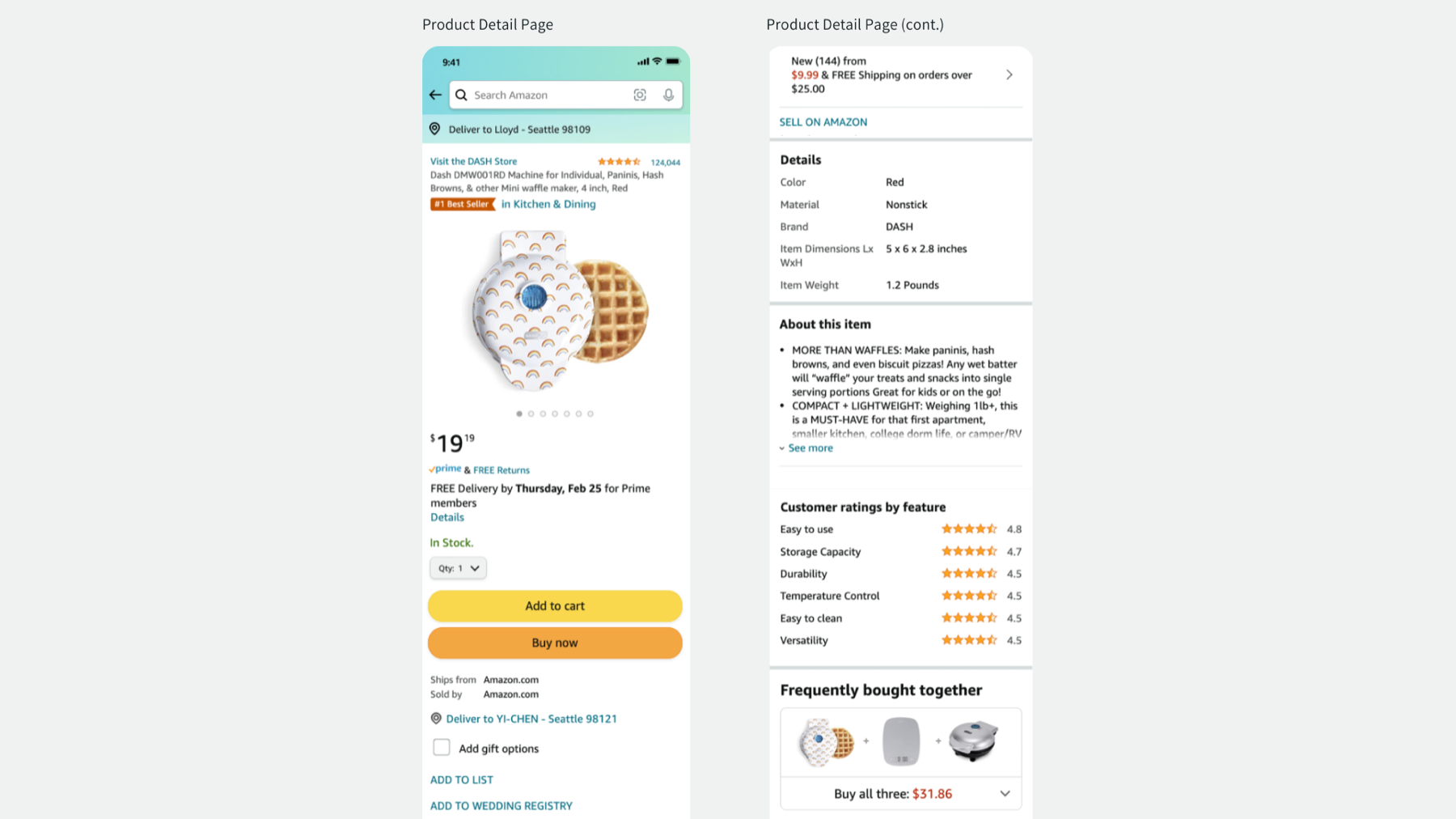
Amazon’s shopping app presents massive product information to help people make informed purchase decisions. This results in lengthy pages that require lots of scrolling. For example, after reading product reviews, customers have to scroll all the way back to the top of a product detail page to tap the "Add to Cart" button. Therefore, we need to innovate on behalf of customers to anticipate next steps in their shopping journey and provide them immediate access to these steps within thumb's reach.
3. Definition of Action Bar
A contextual bottom app bar that surfaces most repeated and important calls-to-action to customers’ fingertips, once a customer has scrolled a certain page depth.
- Contextual: directly relevant to the current page experience, unlike Bottom Tabs which are consistent across pages, actions inside Action Bar change from page to page.
- Most repeated and important: not every CTA will qualify for Action Bar. They should be primary actions/critical decision-making information.
- Scrolled: Action Bar is triggered by scrolling, it is NOT an ever-present bar, and is NOT visible on page load.
4. Action Bar Tenets
I wrote design tenets to help fellow designers and teams understand when to use Action Bar
- Action Bar provides easy and persistent access to actions that already exist on the page: Action Bar gives continued access to existing in-line actions of a page, even when those actions scroll out of view; Due to accessibility considerations, we do Not allow Action Bar to be the sole ingress point for an experience.
- Action Bar surfaces primary page actions: only actions of the page that are most repeatedly used AND drive a customer’s immediate shopping goal forward. It may also include critical information people need in order to take those primary actions. However, Action Bar should not be used just to promote visibility of a feature that can distract customers from completing their intended shopping missions.
- Action Bar is contextual to the entire page: the scope of actions in Action Bar is contextual to the entire page, not just a region of the page; Action Bar content is applicable no matter where the customer is on the page.
5. Action Bar Framework
5.1 Hierarchy
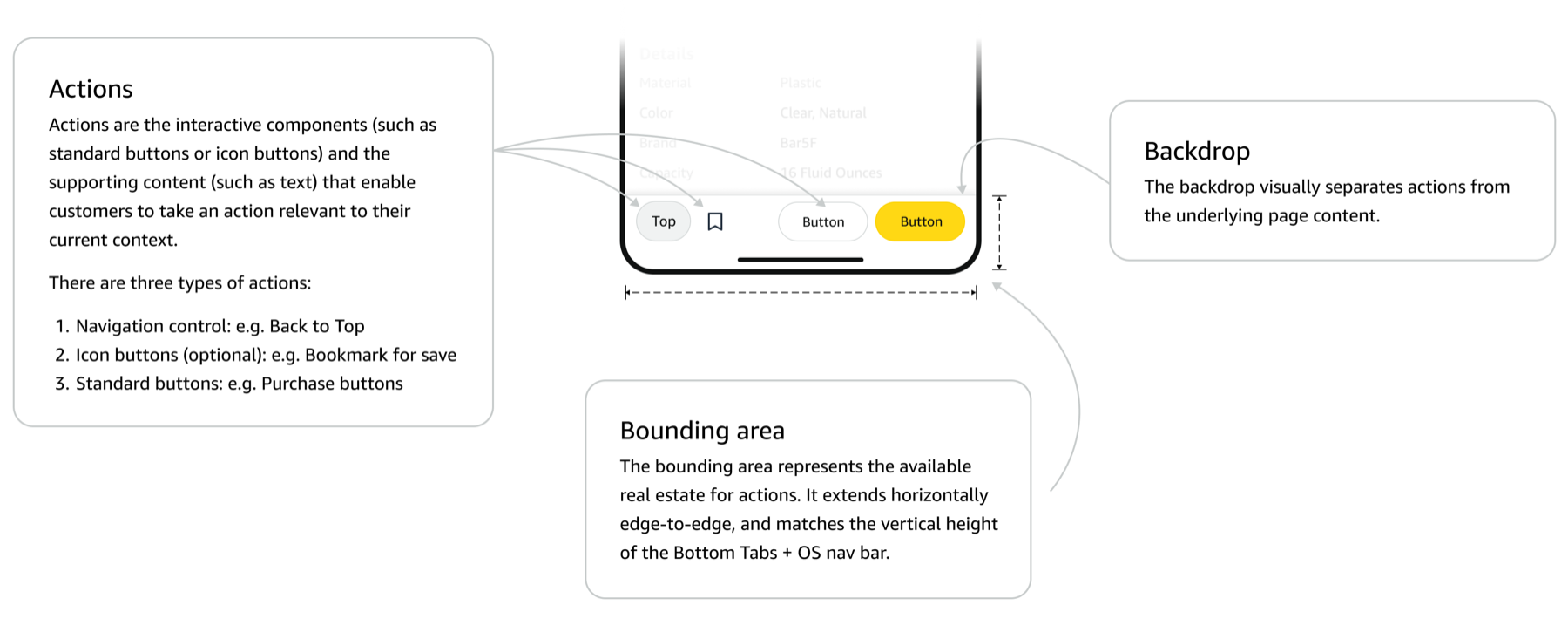
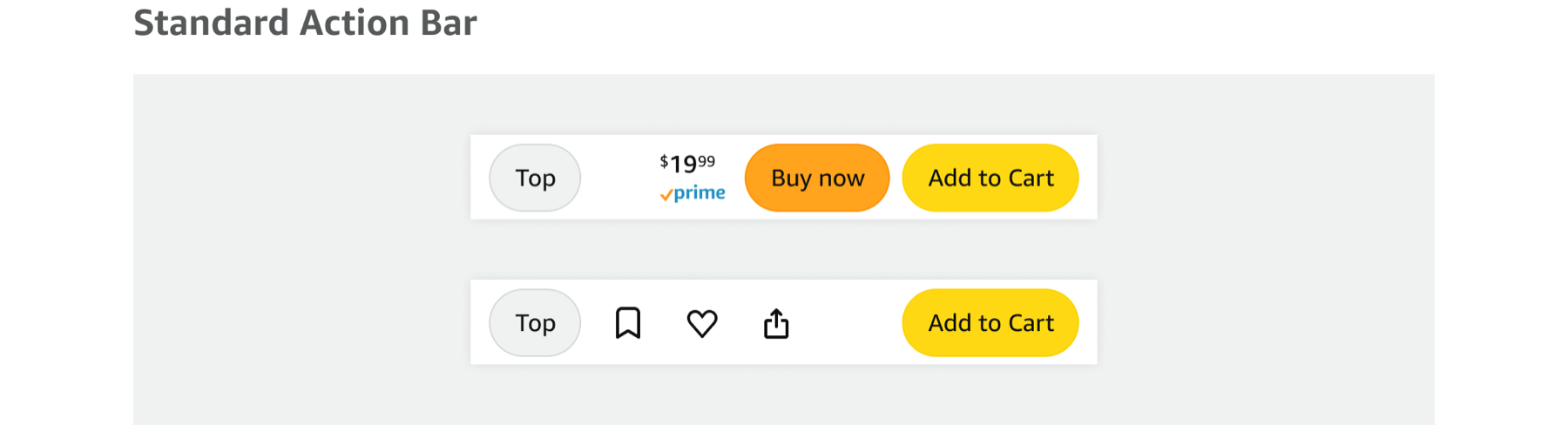
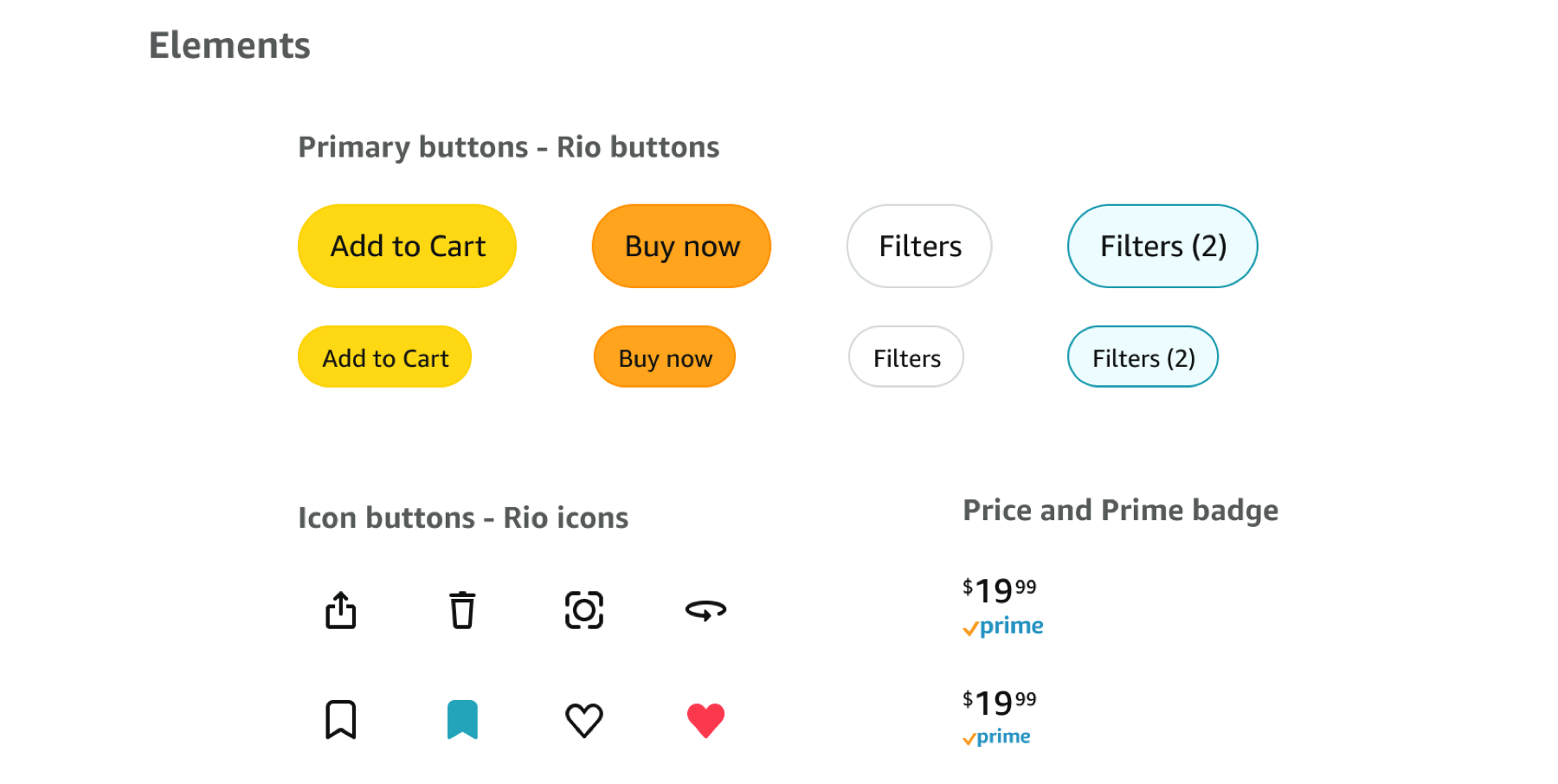
There are three main types of UI elements that are allowed to live inside Action Bar: primary actions, secondary actions, and navigational actions.

5.2 Order of arrangement
- Primary actions (e.g. Add to Cart) are aligned to the right inside Action Bar. This is because the majority of the population is right handed, therefore the button on the bottom right will be easier to reach with their thumb.
- Navigational control (e.g. Back to Top) is the first button on the left.
- Secondary actions (e.g. Bookmark) follow Navigational buttons on the left.

5.3 Container & Content
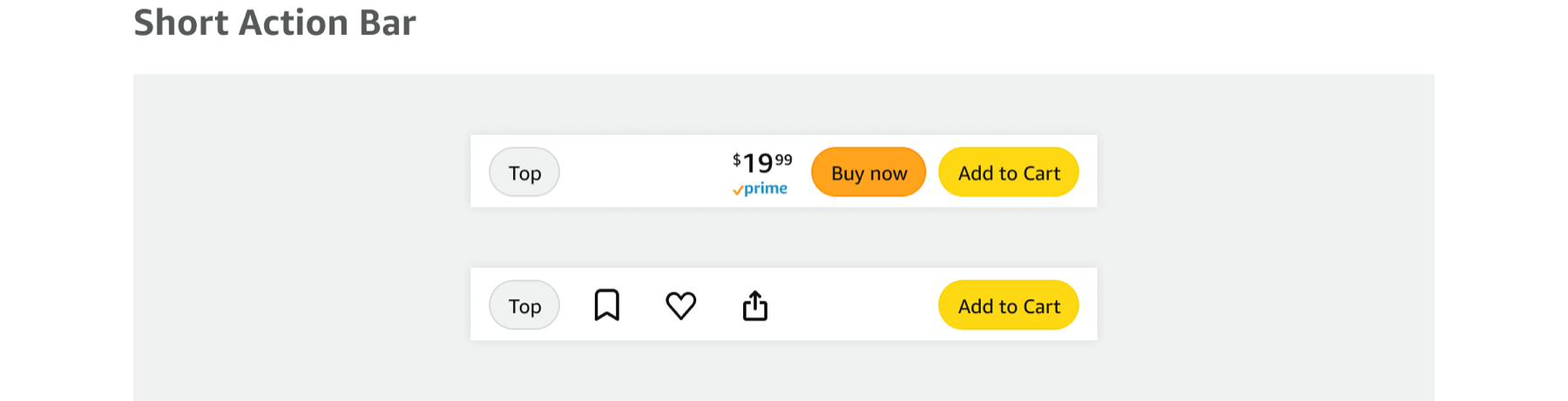
Action Bar is designed to share the same height of Bottom Tabs. This ensures Action Bar can cover the entire space Bottom Tabs take, preventing adjacent elements (e.g. Alexa FAB in today’s world, Search bar when it moves down) bouncing up and down during Action Bar’s show and hide motion.
However, given the fact that Bottom Tabs have different heights on iOS and Android, we also have two different heights for Action Bar, standard on iOS and short on Android to match Bottom Tabs exactly.
 9oljn
9oljn
5.4 Layout
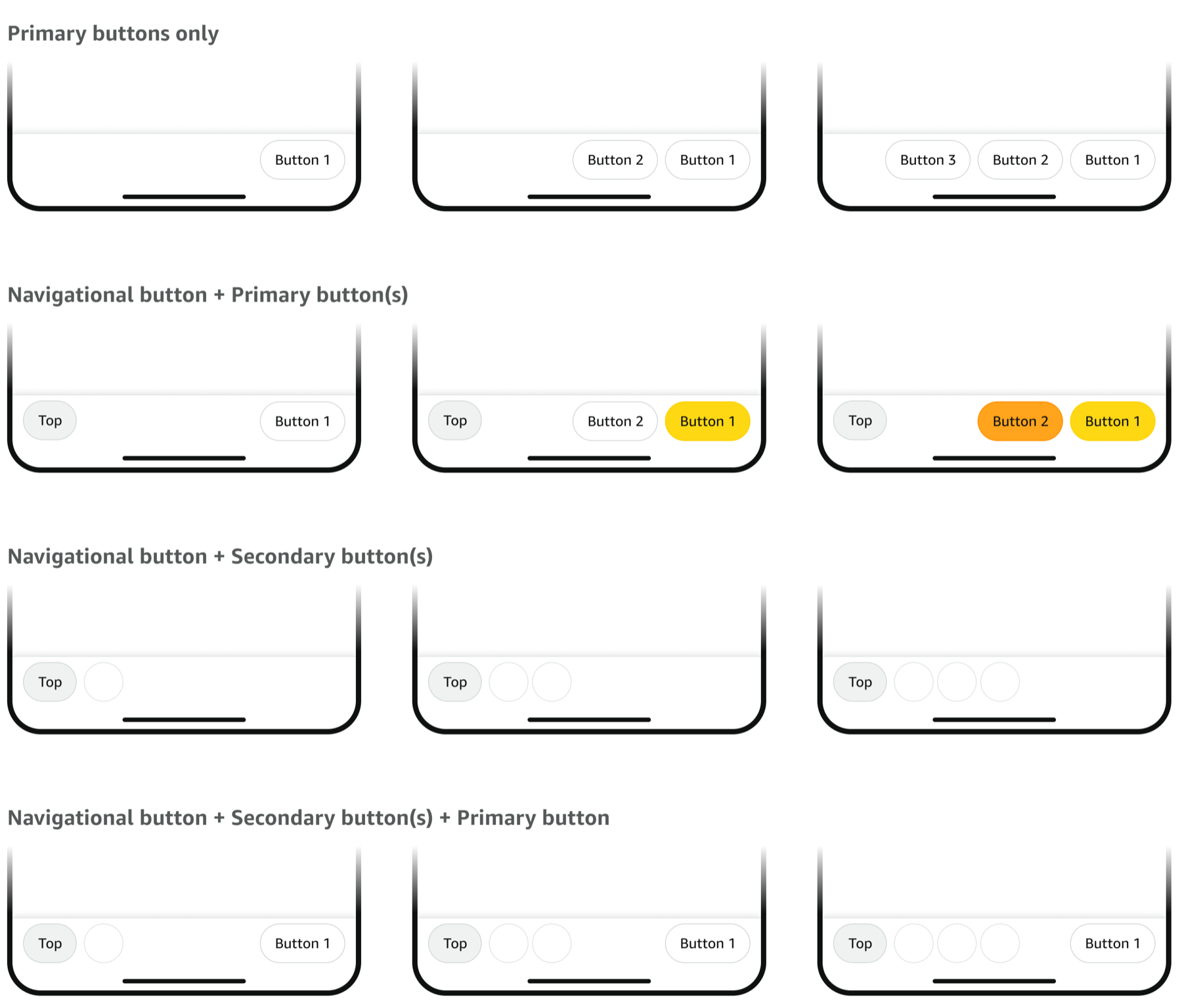
The following is not an exhaust list of all potential Action Bar layouts, but examples to illustrate different configurations of actions inside.
5.5 Show/Hide Triggers
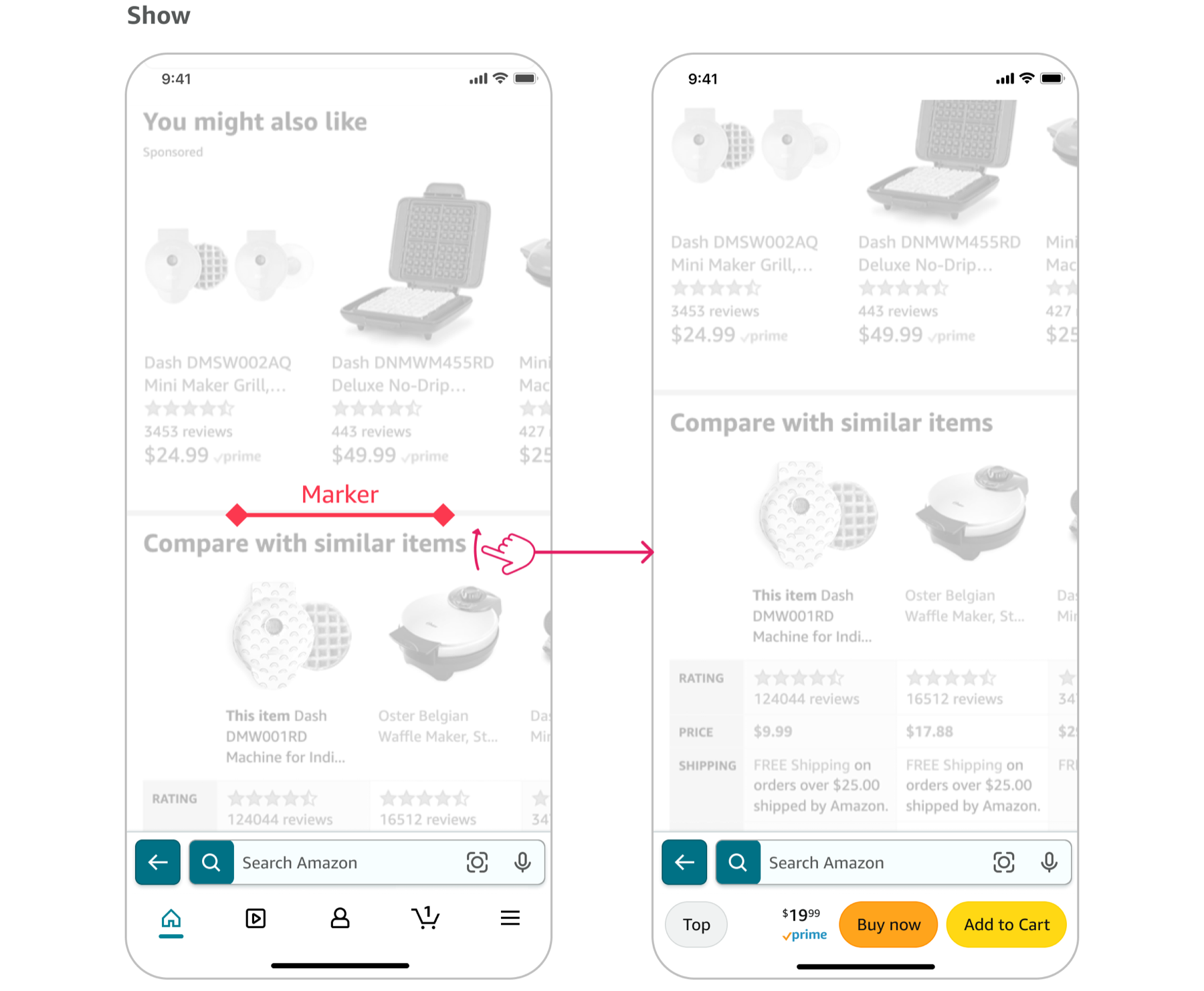
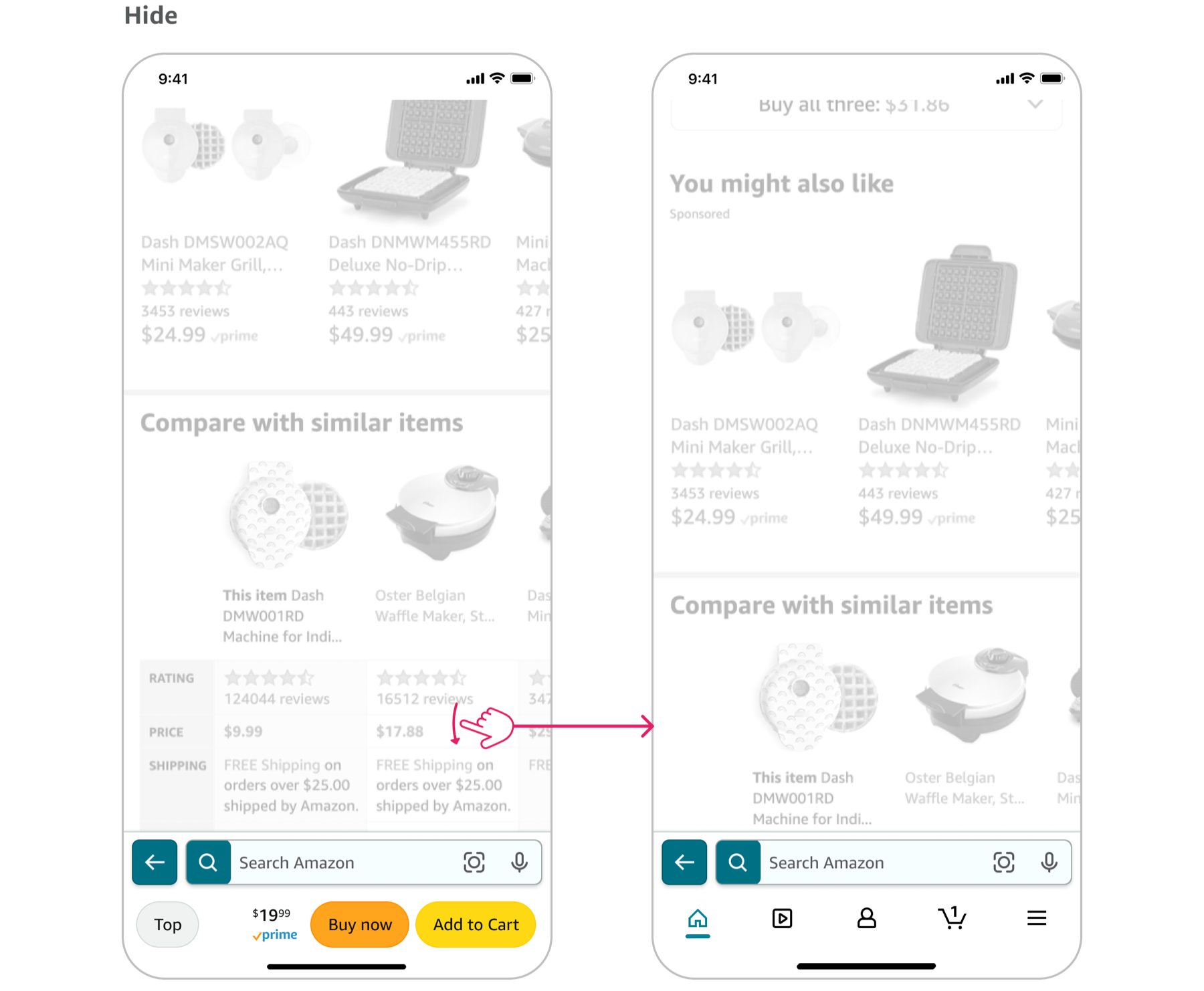
Show: Action Bar appears when customers scroll past a specific page section, indicated by markers placed on the page.
HideAction Bar will hide once customers start scrolling in the opposite direction (we will add a buffer of 50px to prevent interpreting taps on screen as a scrolling gesture).
5.6 Not supported use case - horizontal scrolling
As I talked to multiple partner teams to collect potential use cases for Action Bar, I repeated heard interest in displaying multiple equal-priority actions. For example, showing filters inside Action Bar.
After careful evaluation and debates, and exploration of visual (smaller, more rectangle-like buttons instead of bigger, fully rounded corner buttons) and interaction designs (horizontal scrolling), due to the different nature of these actions, we decided to Not allow this usage at this point.
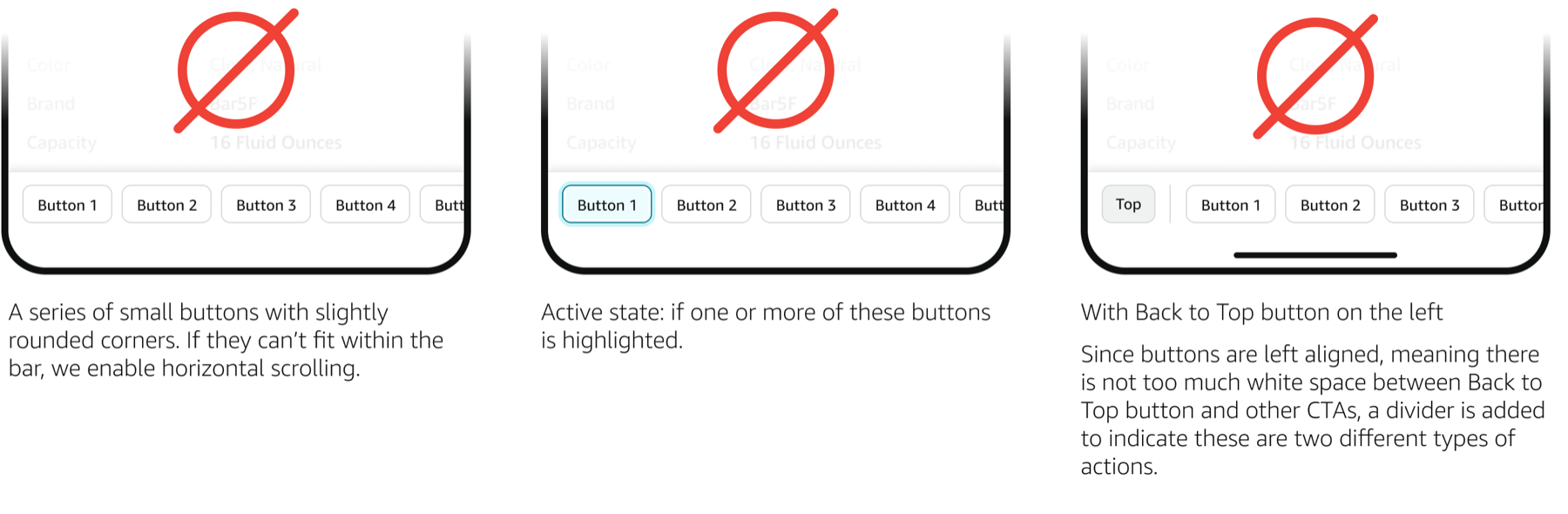
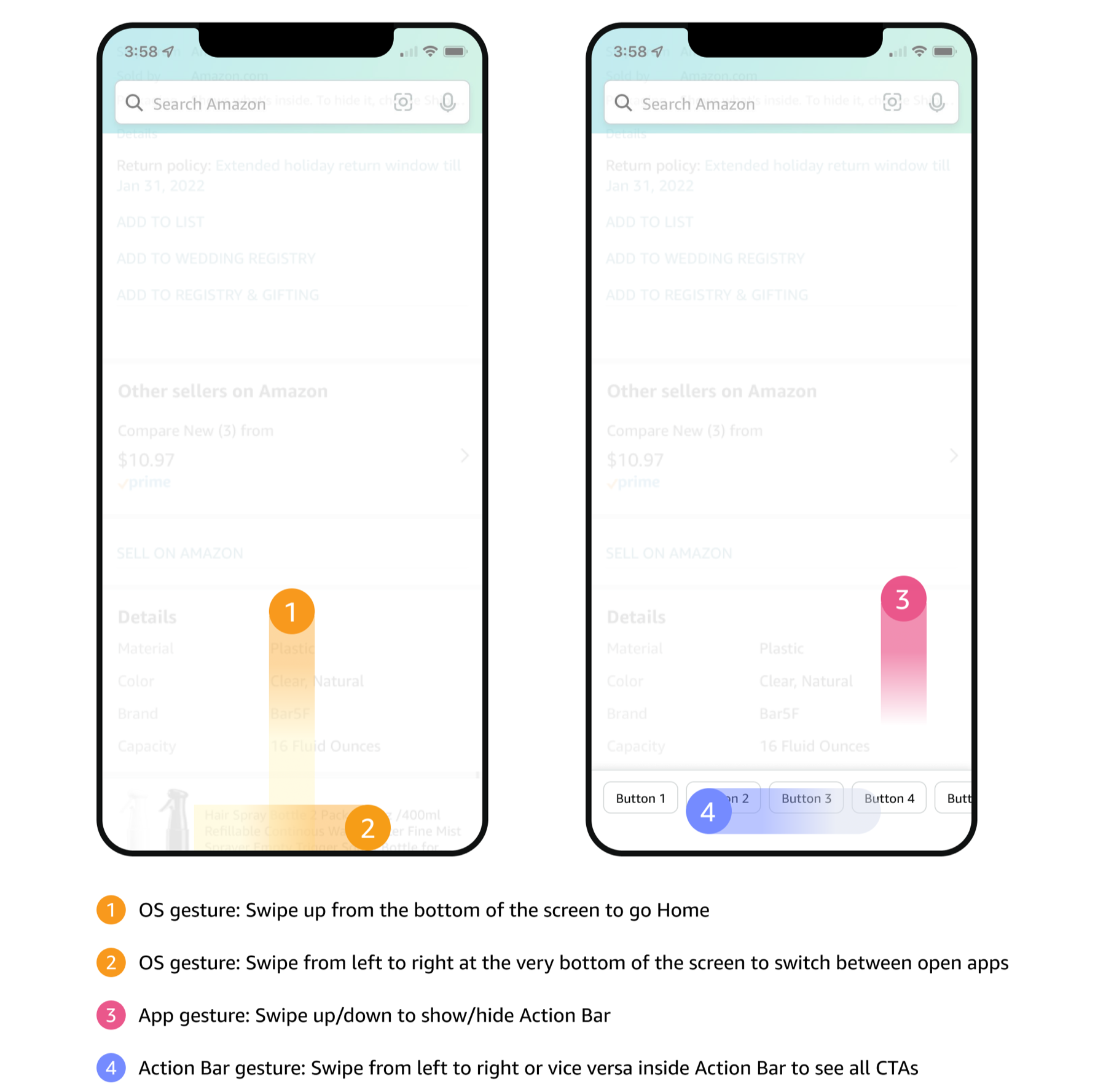
The rationale is that we do not want to overcomplicate scrolling gestures at the bottom of the screen. There are vertical scrolling to show/hide action bar, scrolling from edge of the screen to trigger OS level interactions, and I believe adding horizontal scrolling will inevitably complicate the interactions and increase mis-taps (see illustrations below).
5.7 Interaction patternss
Different CTAs inside Action Bar may trigger different next steps, sometimes a page, sometimes a bottom sheet, sometimes a confirmation overlay, etc. In order to build a solid and scalable framework, I distilled the following interaction patterns from 20+ use cases collected from partner teams.

6. Rapid experiment and iteration
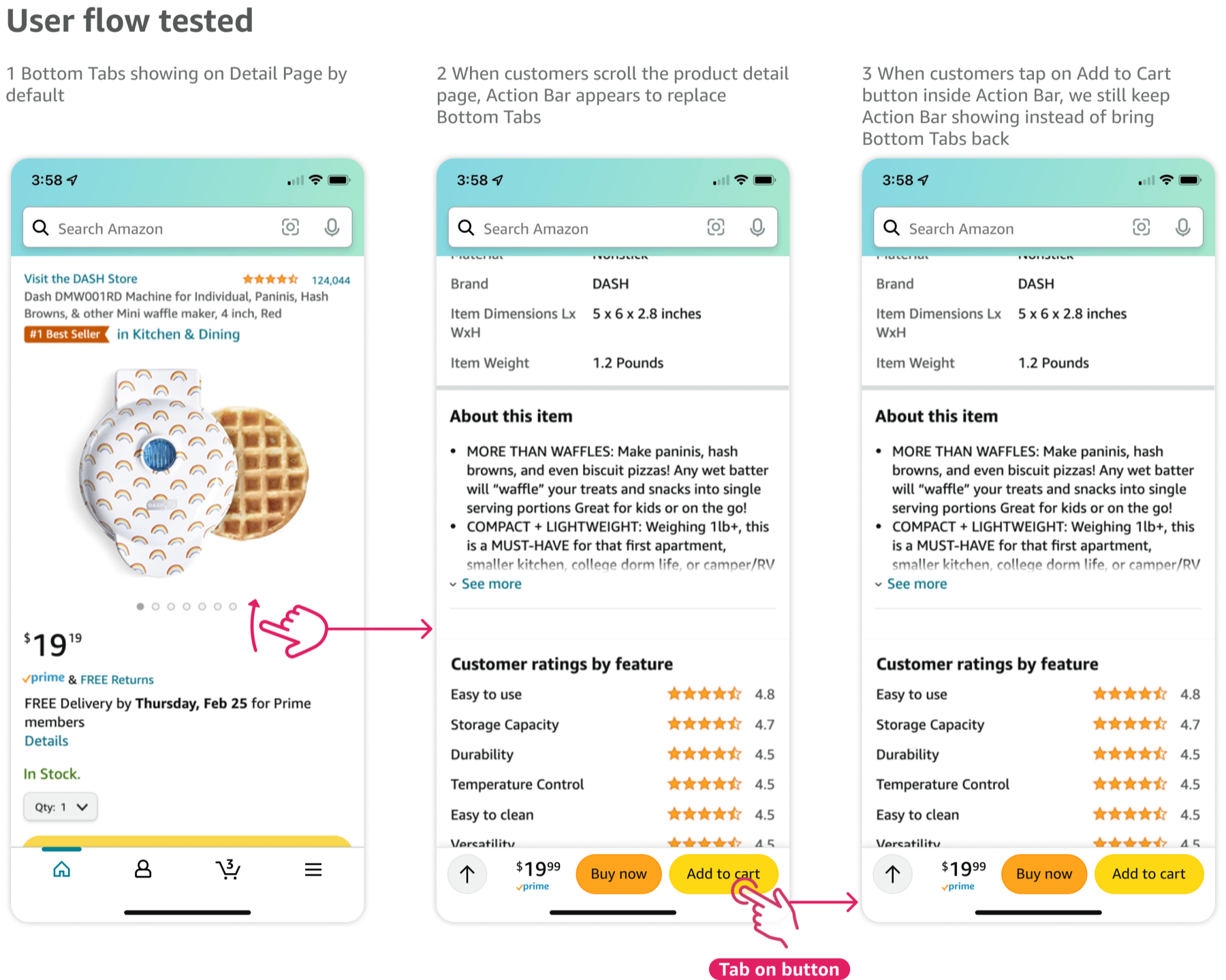
Before we open up this new design pattern for partner teams across the app to adopt, we ran an A/B test to Action Bar on product detail page for 11 days. We want to test which configuration of the CTAs yield the best results and also validate the pattern as a whole.
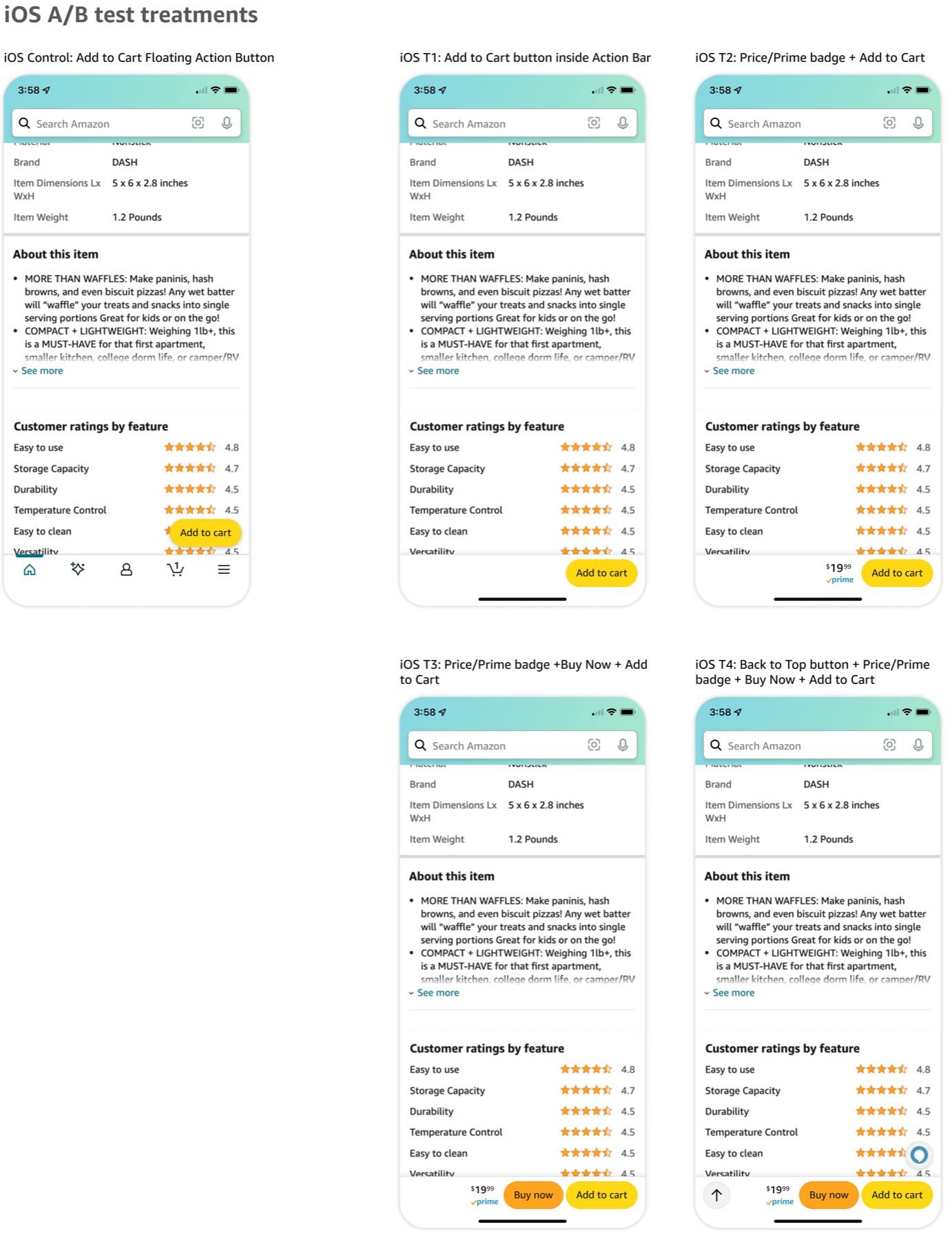
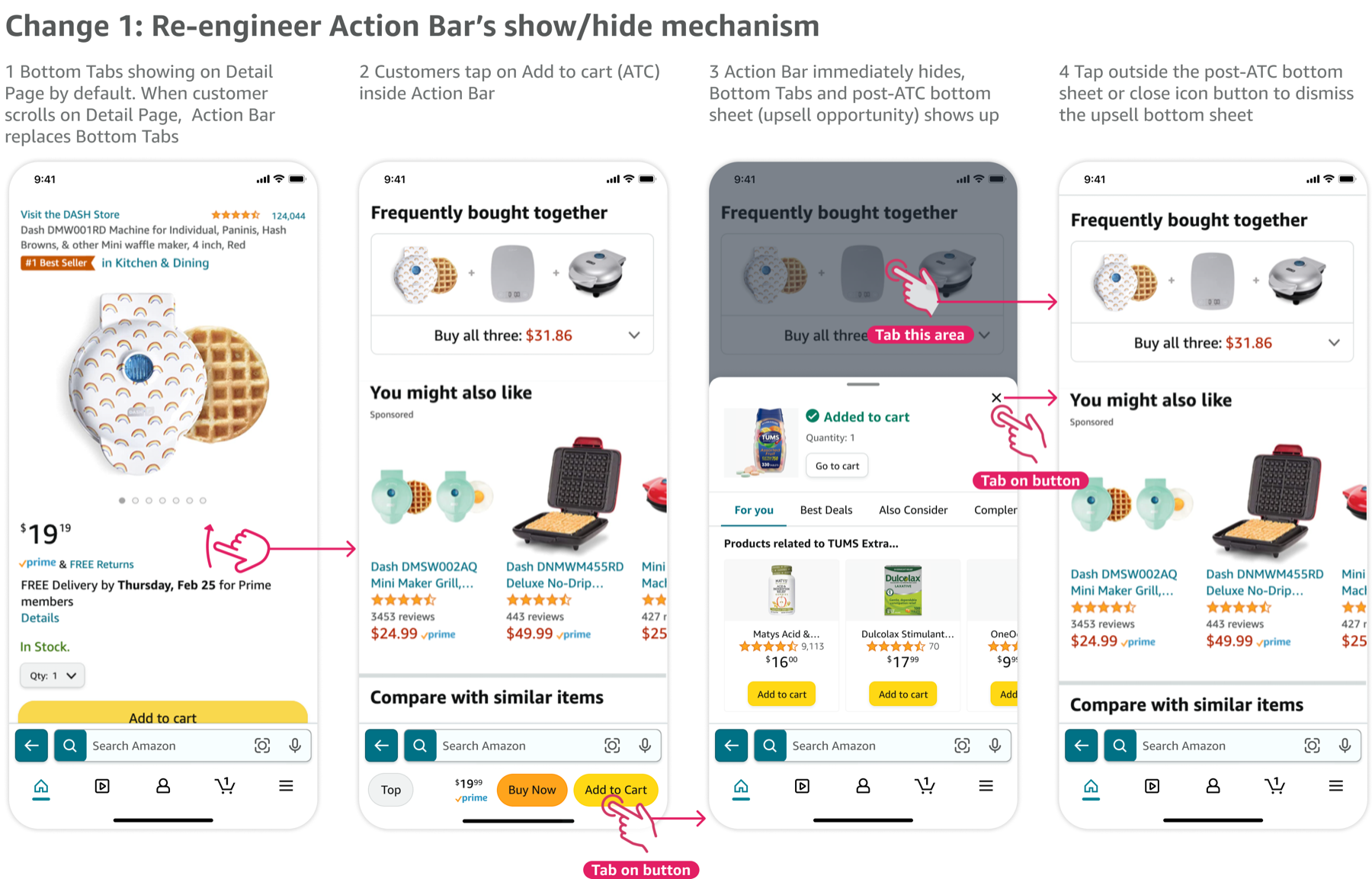
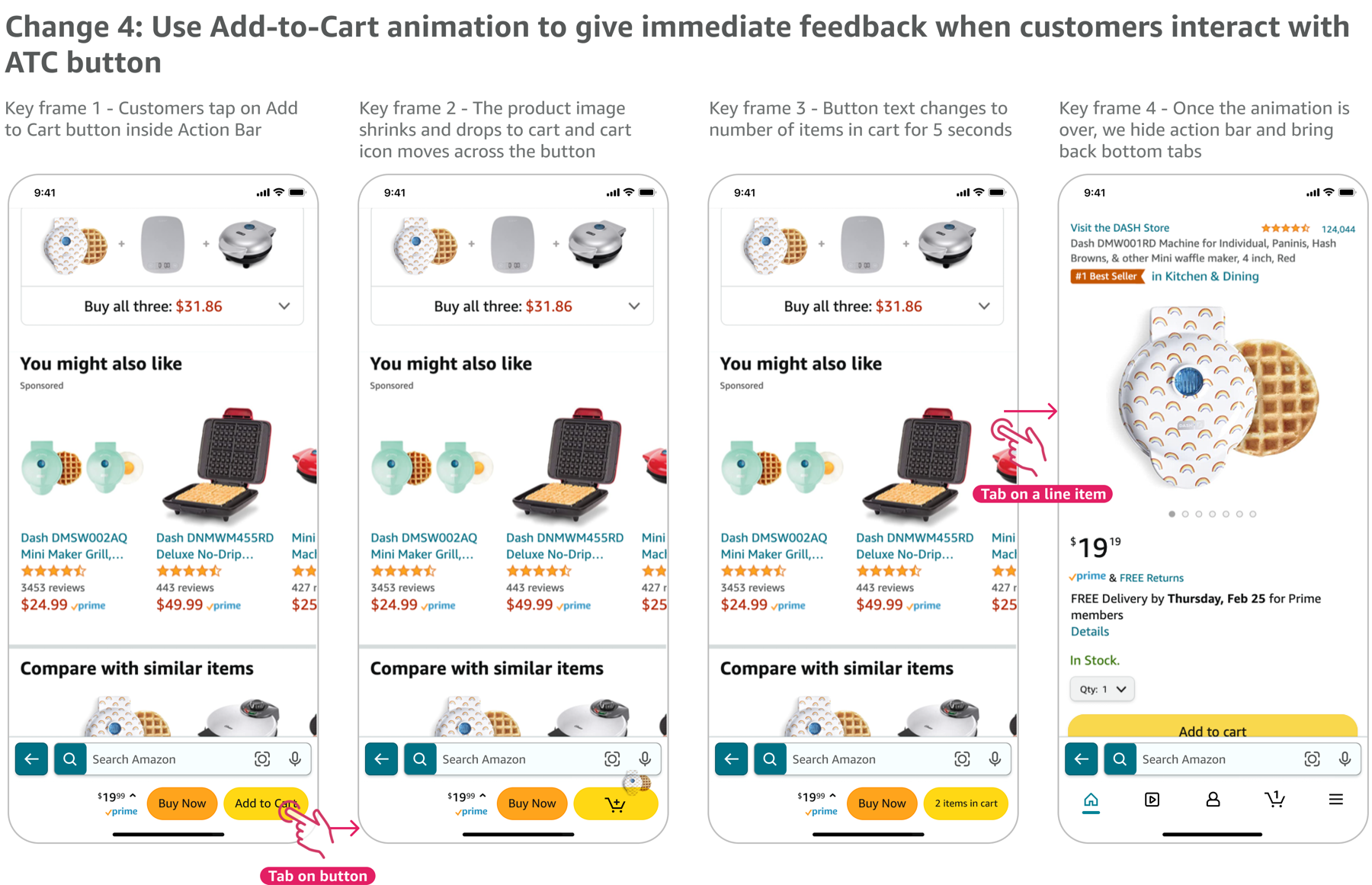
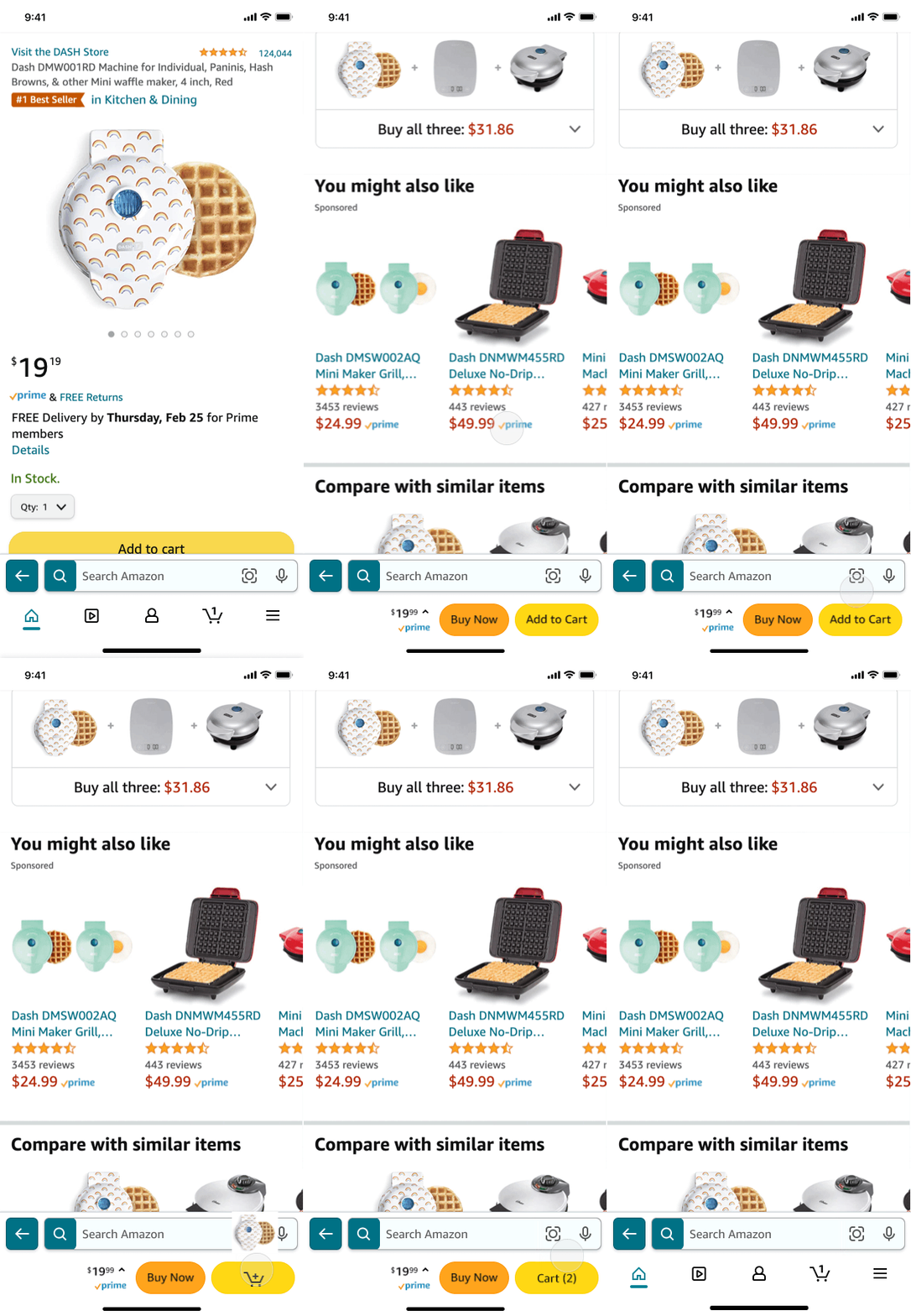
During the test, we observed significant financial loss and decline in bottom tab engagement across all four treatments . We hypothesized it was because once customers tap on Add to Cart button, Action Bar is still present, covering bottom tabs - ingress to Cart, thus customers are not completing their purchases, which led to the significant financial loss.
Iterations based on our learnings
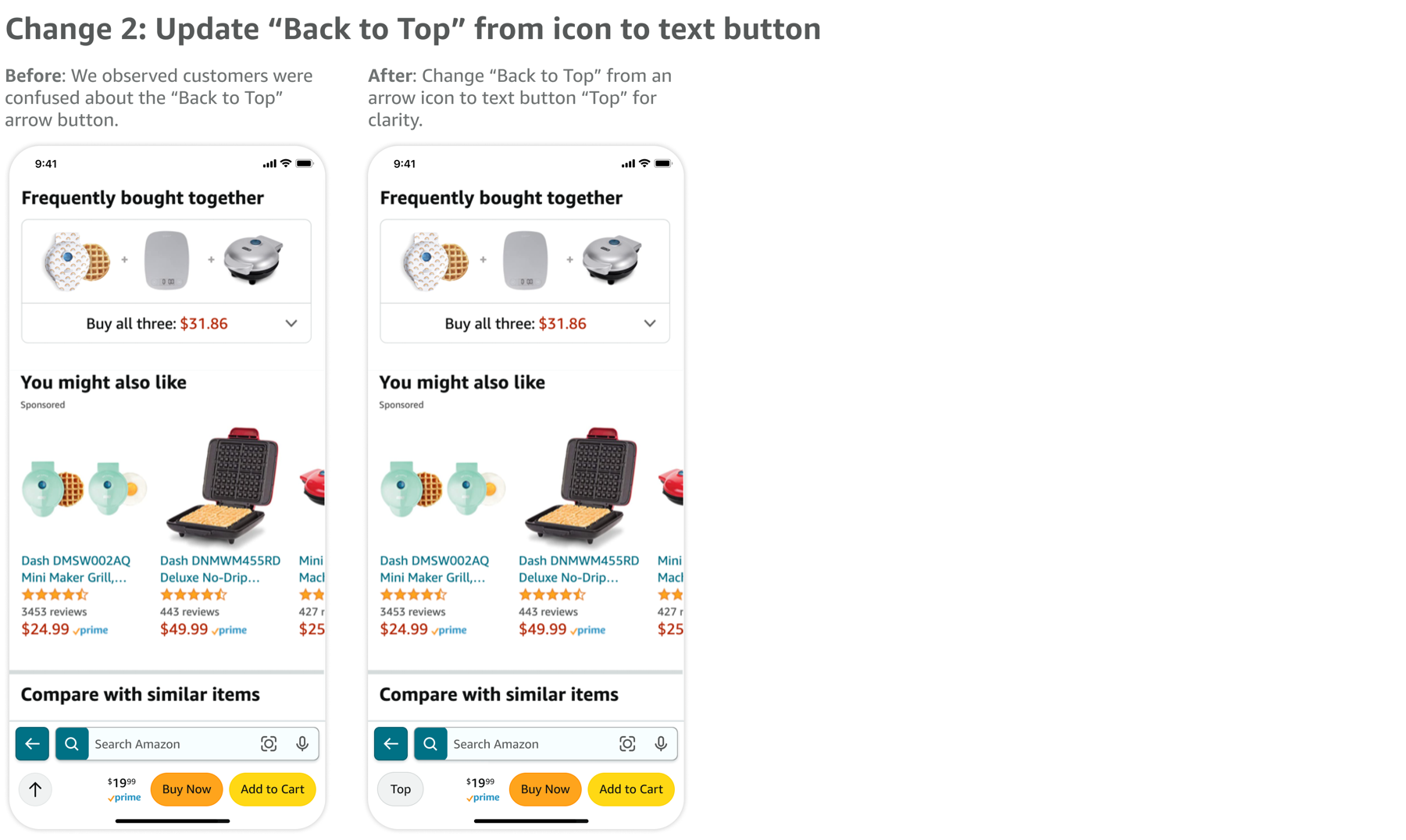
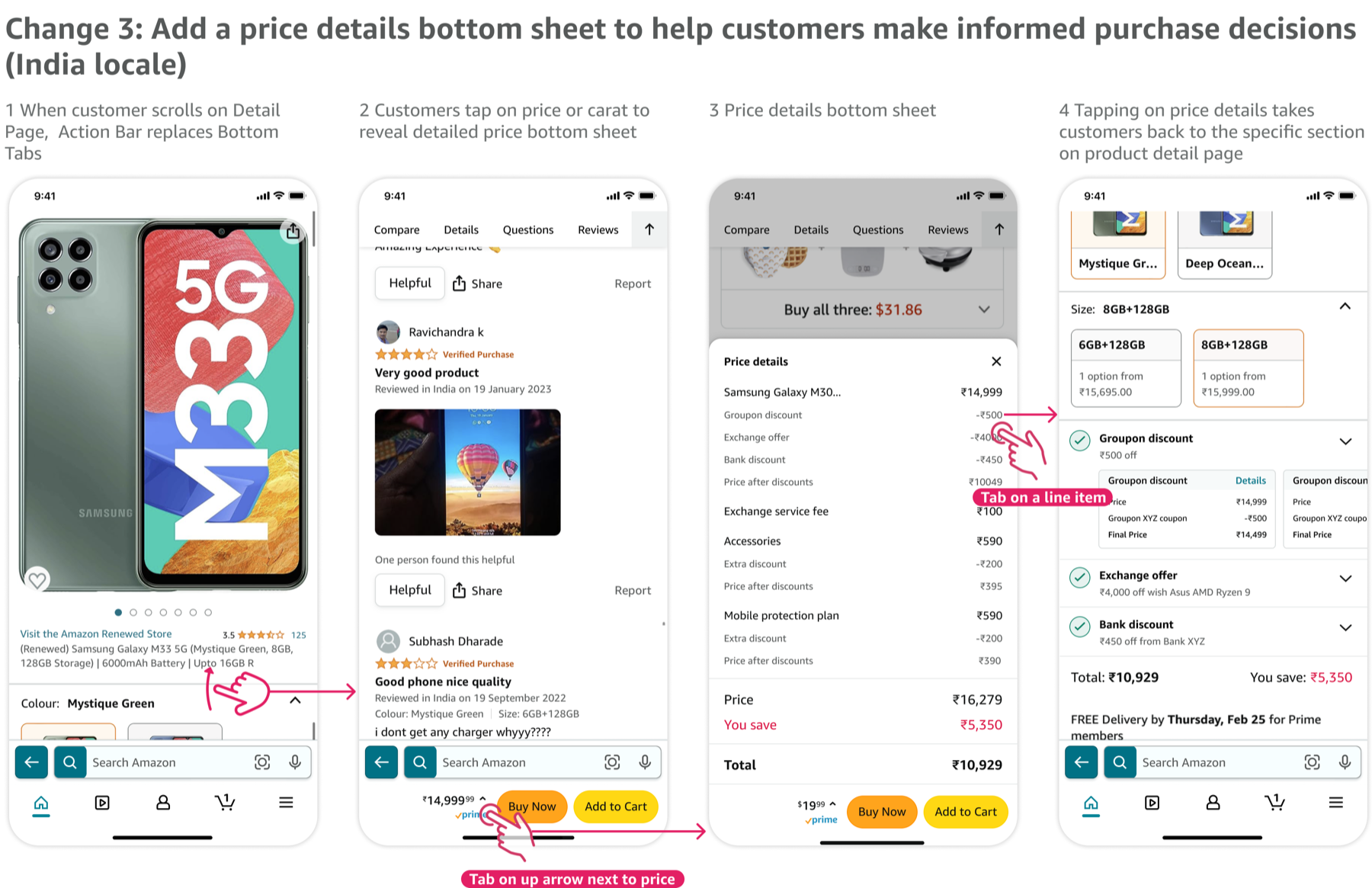
After synthesizing the A/B test results, I took the learnings and made the following design changes. Please note: during this time, Amazon app moved the Search bar from the top to the bottom of the screen, resulting in some app navigation changes in these screenshots.
7. Scale Action Bar to other pages
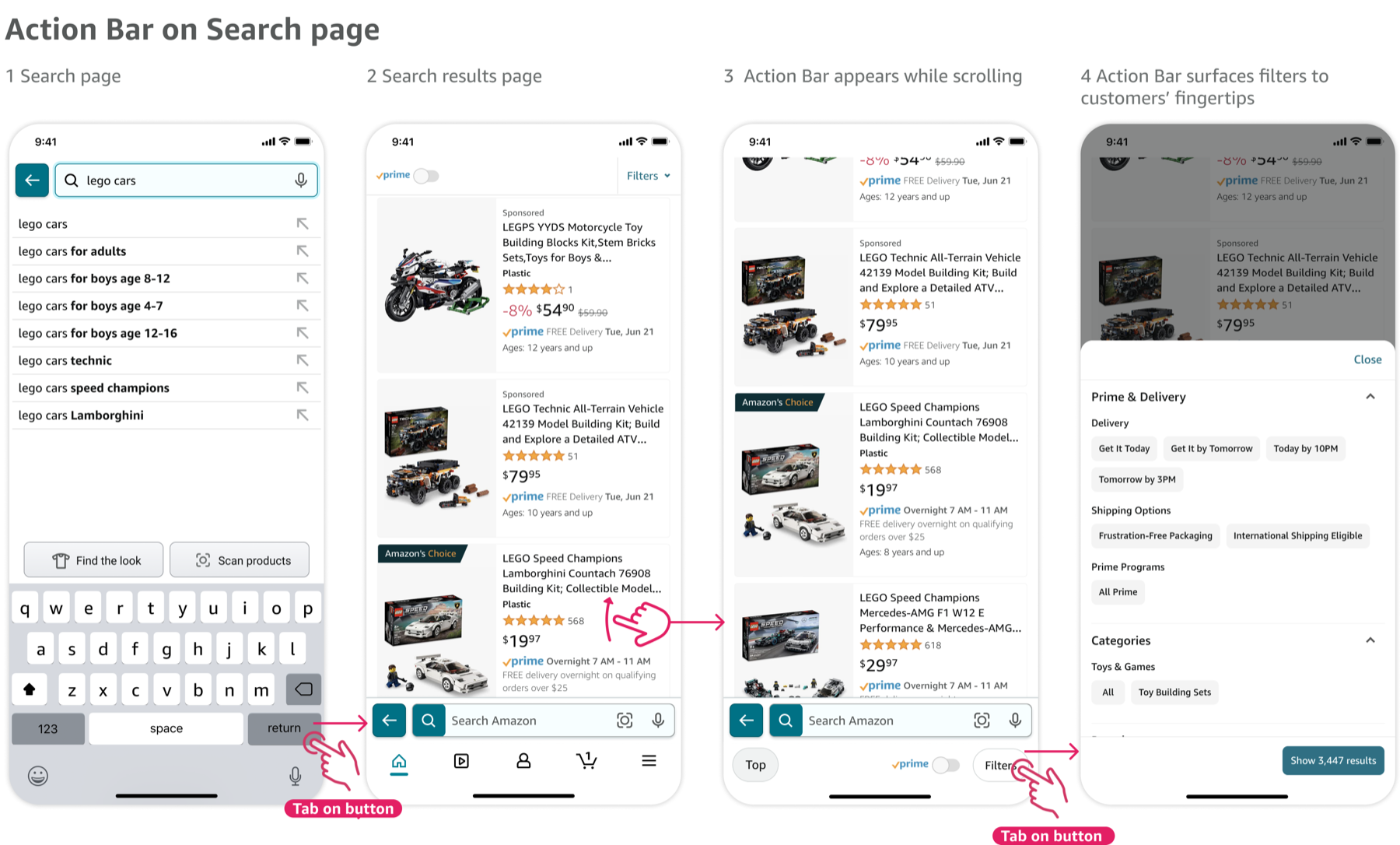
I started with Product Detail page as the first candidate to test Action Bar. As we finalized the framework, I became a champion for Action Bar across Amazon Retail to influence more teams to adopt this pattern, such as Search page, Cartt page, Buy Again page, etc.
8. Results & Impact
I led this design-driven project from start to finish, established guardrails and design foundations for this scalable framework, drove an experiment roadmap to get early learnings and made iterations that clawed back 100MM+ forecasted financial loss for Amazon. With its positive customer impact, influenced 9 teams to adopt Action Bar pattern across Amazon.