AWS Supply Chain Management Solution
- Notification System
1. Project Summary
The product
As a business, AWS provides cloud computing and storage capacities to other companies. Behind the scene, the cloud is powered by thousands of server racks running in our data centers. My organization builds the supply chain management (SCM) solution, which enables AWS to plan, design, manufacture, procure, transport, and deploy server racks in our data centers to power the cloud.
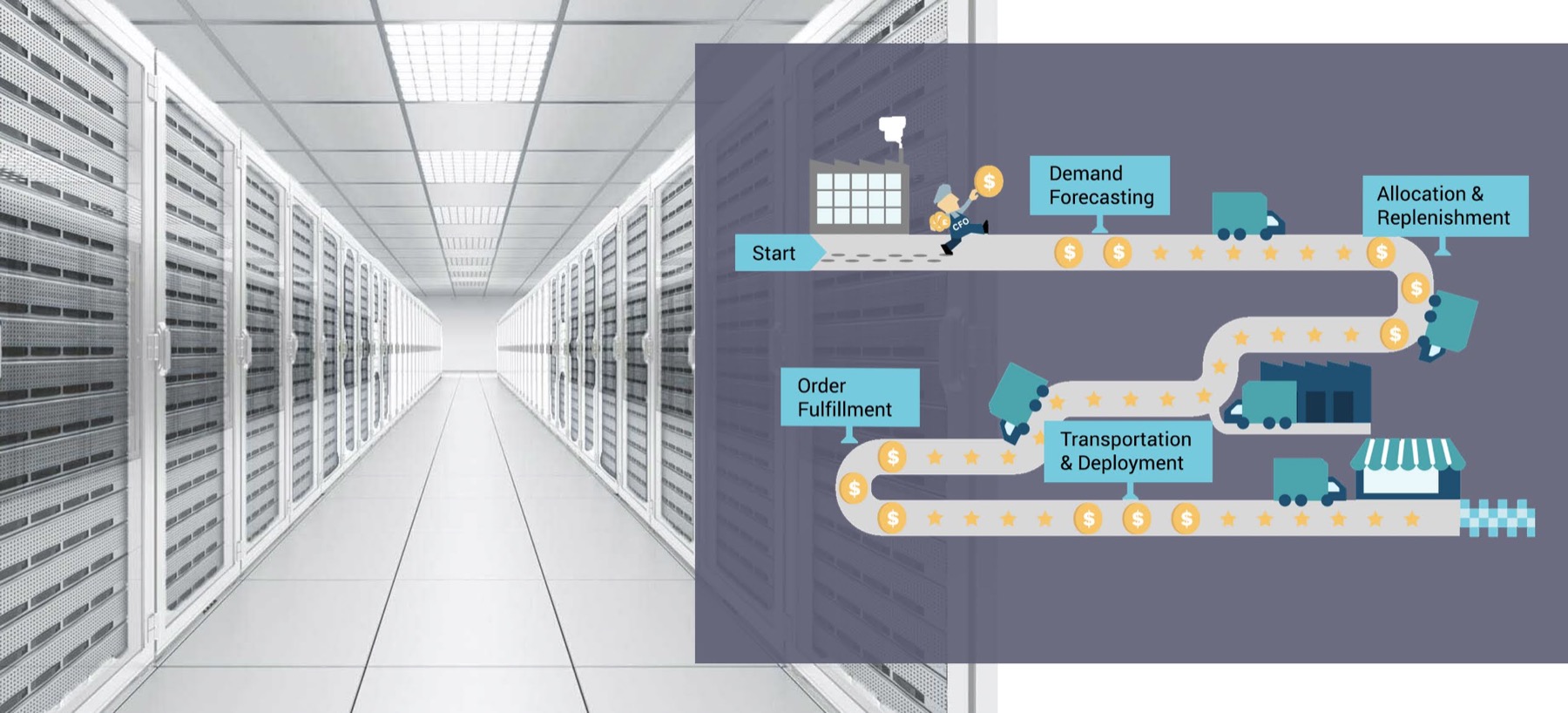
I designed the notification system for AWS SCM platform from scratch, with the goal of surfacing the right information to the right people at the right time through the right channel. The notification system helped users stay on top of their job and reduced unnecessary notifications they used to receive.
My biggest contribution
This was not a well-scoped or defined project. Customer needs were not identified, well-understood or aligned upon. I worked as both the researcher and designer, plus played the role of the PM to drive the project forward.
- Design: Looked beyond the designing a notification UI at a surface level, but dived deep to architect a notification mechanism and delivered a complete design solution covering notification creation, delivery and consumption;
- Design systemStandardized and documented how the system communicates to users in various scenarios, increased consistency across the product suite;
- Product thinkingFell in the gap for the Product function, defined goals and use cases to drive the project forward;
- Influence and collaborationLed discussions on the implications of notification on other systems and services, such as user management and permission control, helped build a robust product ecosystem.
2. Customer Problems
Various types of users that are involved in the AWS infrastructure supply chain use our solution, to name a few:
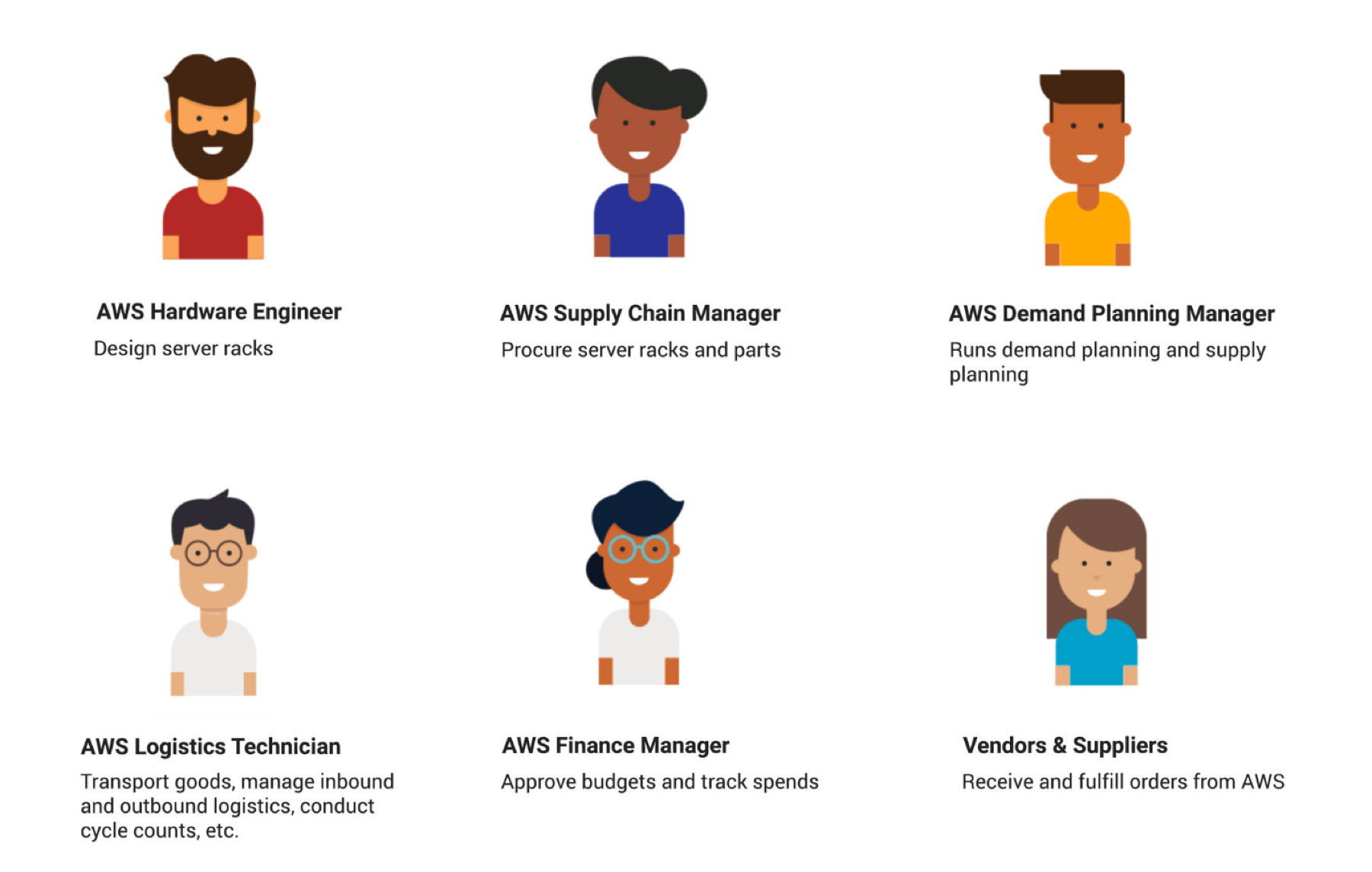
For a supply chain at AWS’ scale and complexity, with millions of goods being manufactured and transported, with billions of transations, with thousands of supply chain workstreams running in parallel, our customers can easily get lost in the massive data and have to sift through all the complexity to make sense of what is going on. Therefore, customers need a mechanism to draw their attention to things that are relevant and important to them.
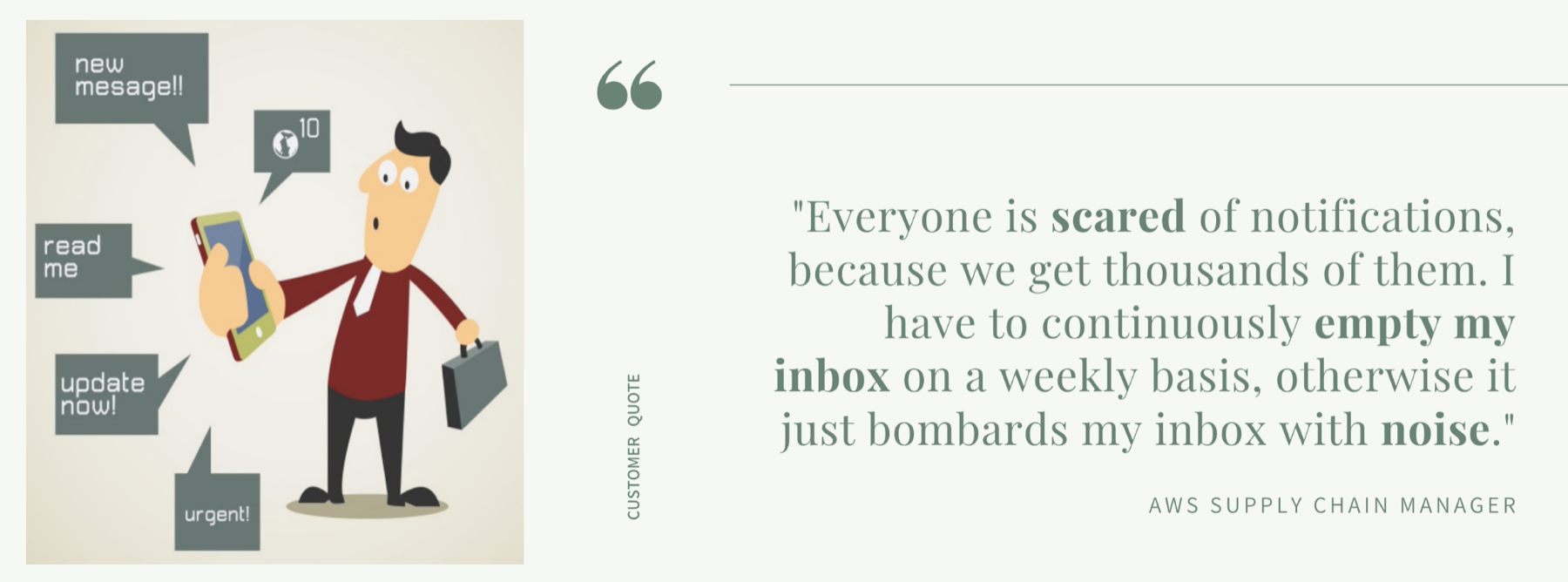 customer-pain-points
Key Customer Pain Points
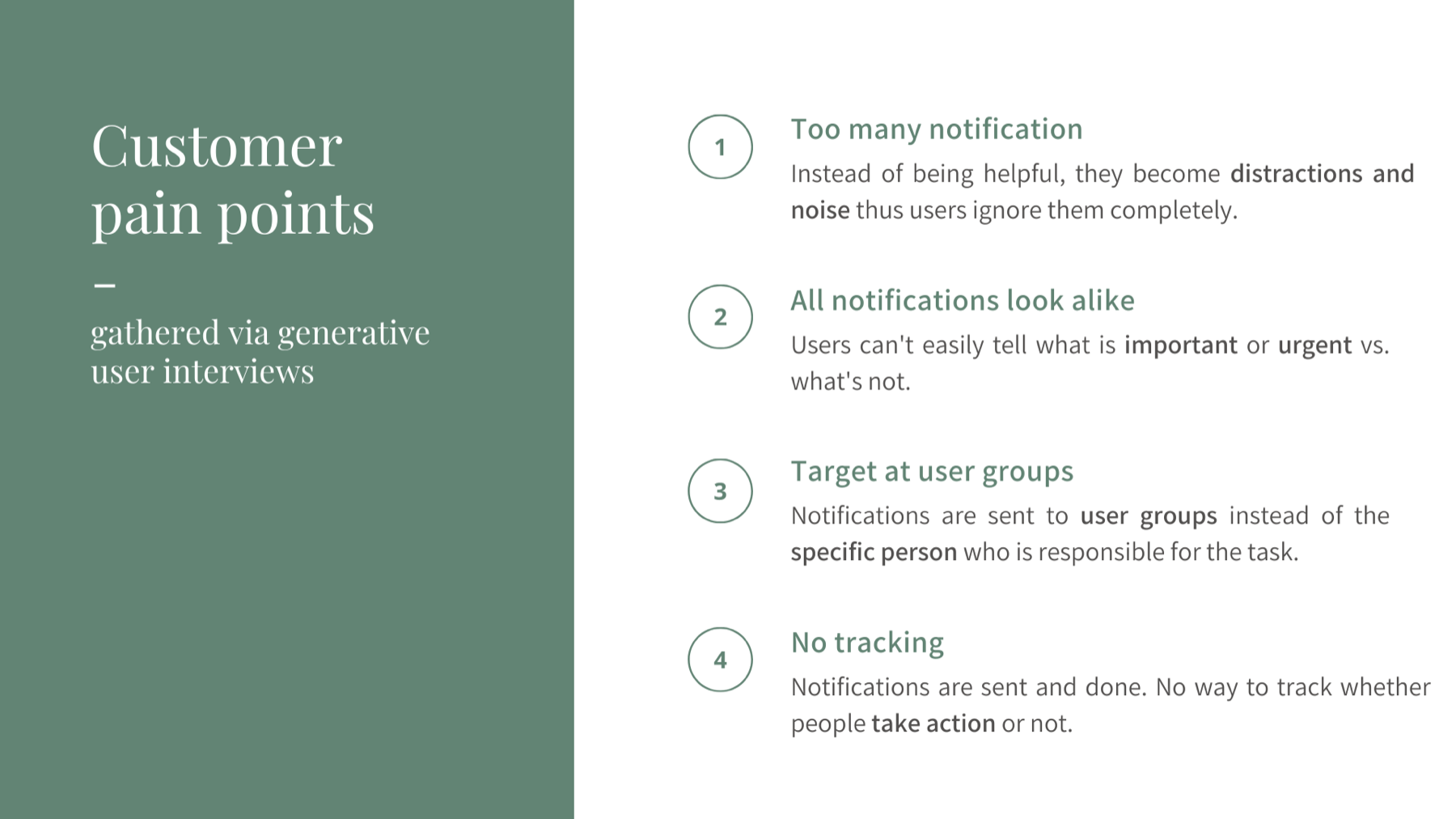
I conducted 10 generative user interviews with customers about their notification experiences with our legacy systems, and identified the following key pain points.
3. Reframe the problem statement
With a more informed understanding of the customer problem, I realized the fundamental problem we need to solve is not at the presentation layer - how to better display notifications, instead, we need to reframe how notifications are created, triggered, delivered, and acted upon under a unified system.
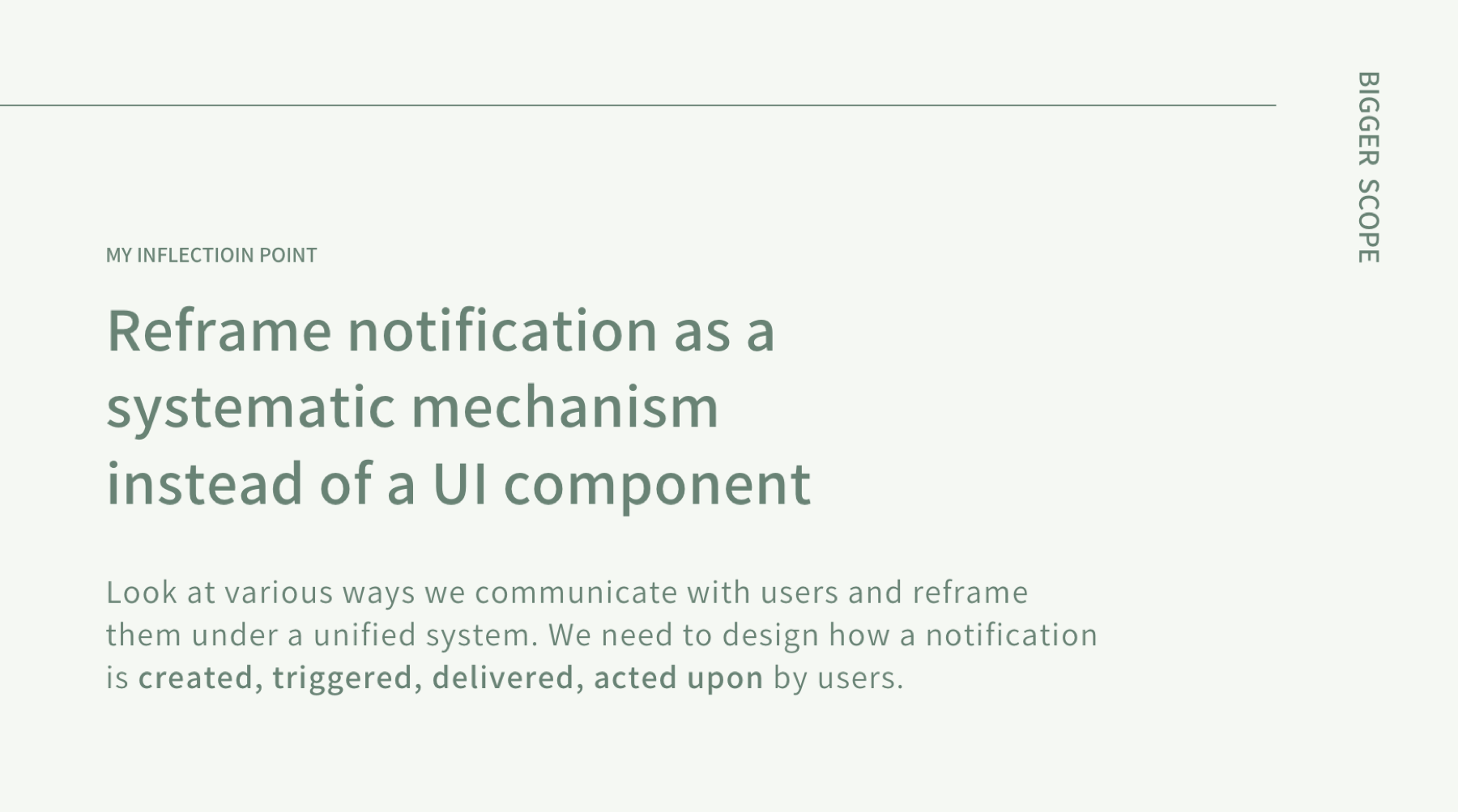
Therefore, I reframed the original problem statement handed over to me,
From: Design a notification system that allows users to get up-to-date information within AWS supply chain.
To: How might we help people stay on top of their jobs, surfacing the right information to the right people at the right time through the right channel?

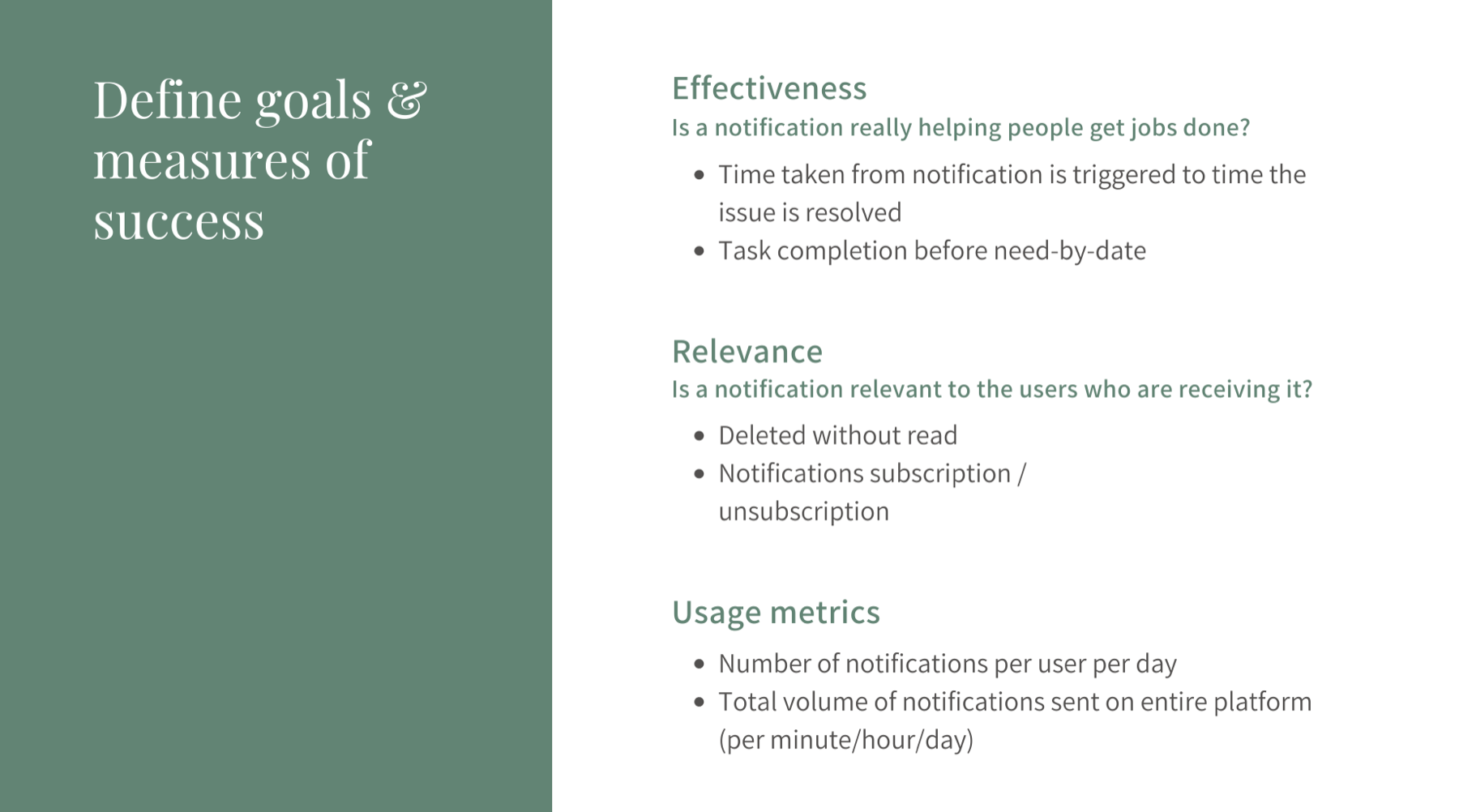
4. Define goals & measures of success
With the reframed customer problem to solve, I extracted design goals and defined measures of success from it.
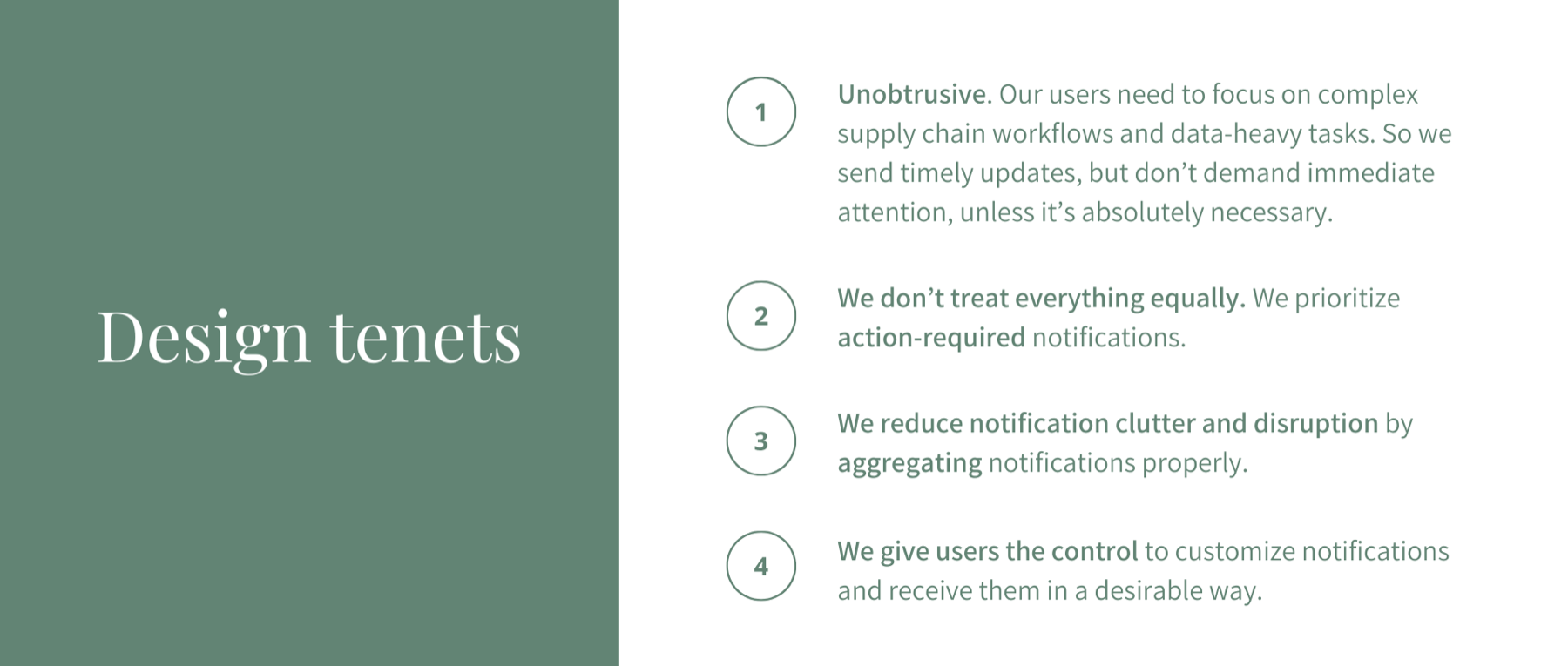
5. Design Tenets
Next, I established design tenets based on my point of view, which not only guide my design decisions later on and help build alignment with my cross-functional team and leadership.
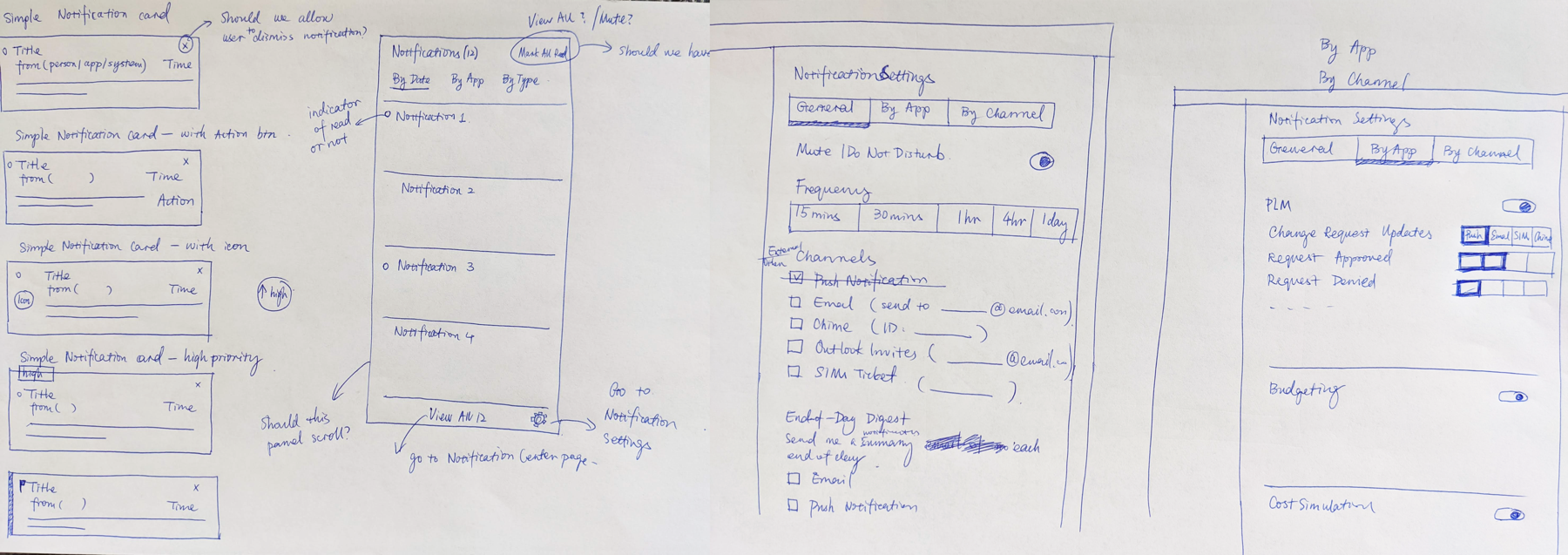
6. Ideation & Sketches
7. Design Solution
In order to architect an effective and robust notification mechanism, there are a few problems we have to solve:
- How do we define critical and relevant notification for different users?
- How do we make sure the right people are receiving the notification?
- How might we ensure notifications are not distracting people from more important tasks at the time being?
The design solution I came up with uses various mechanisms to address these questions.
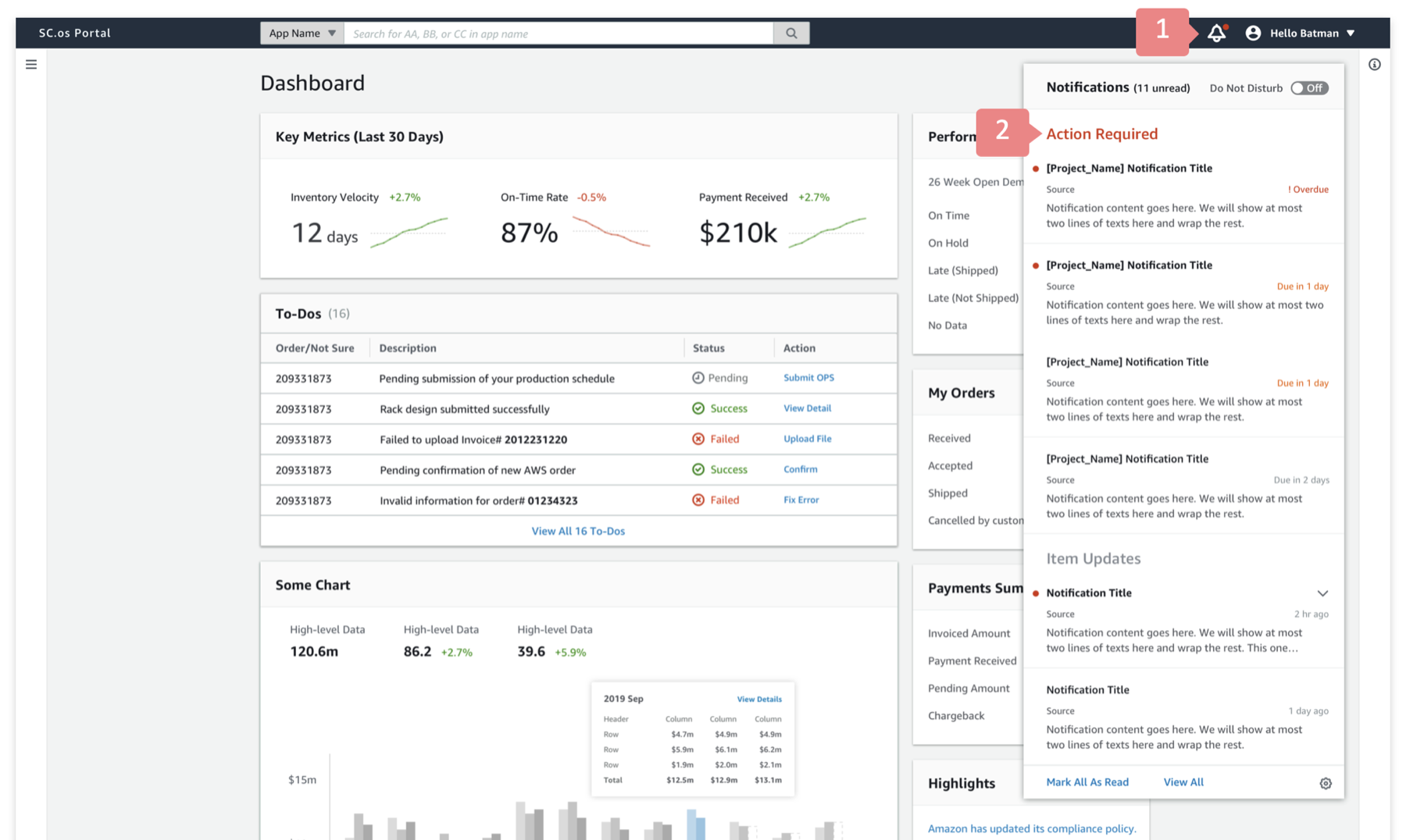
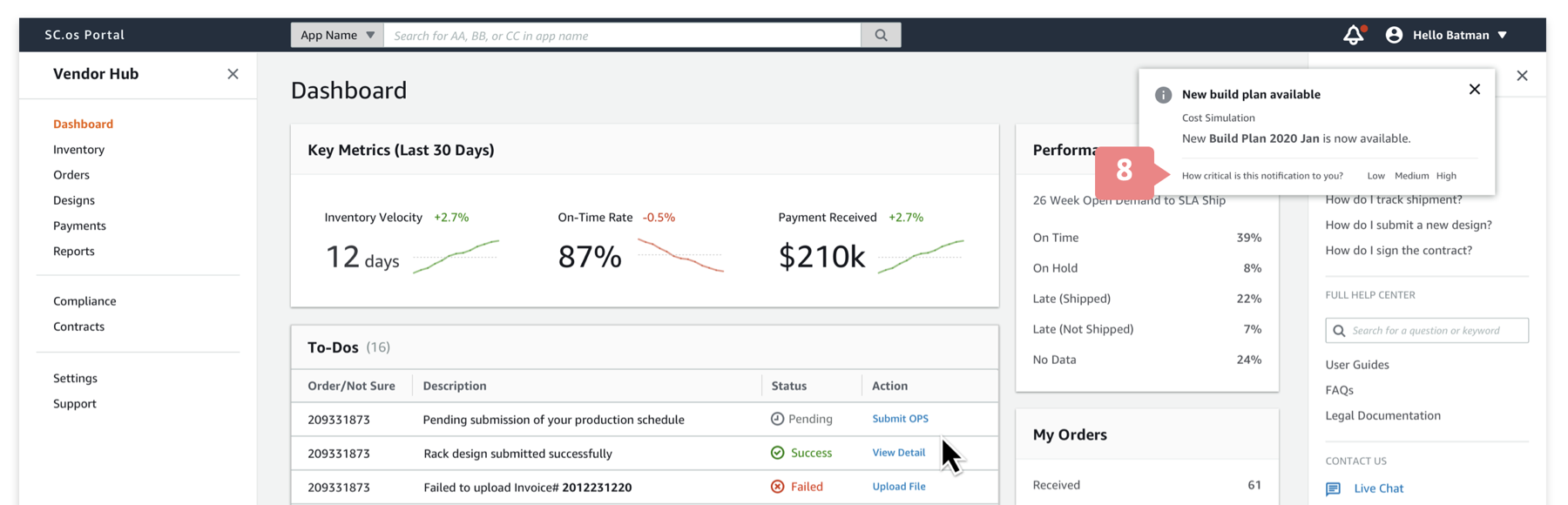
- "Unobstrusive" notification indicator: When a new notification comes in, by default users will only see the red dot on the notification icon. For most of the cases, there won't be a pop-up due to the "unobstrusive" nature of our notification system.
The intention of this design is to Not fight for users' limited attention with critical tasks they might be working on. - Prioritize action-required notifications: Notifications are not sorted purely chronologically; instead, users see action-required notifications on top since they often require people's attention the most.
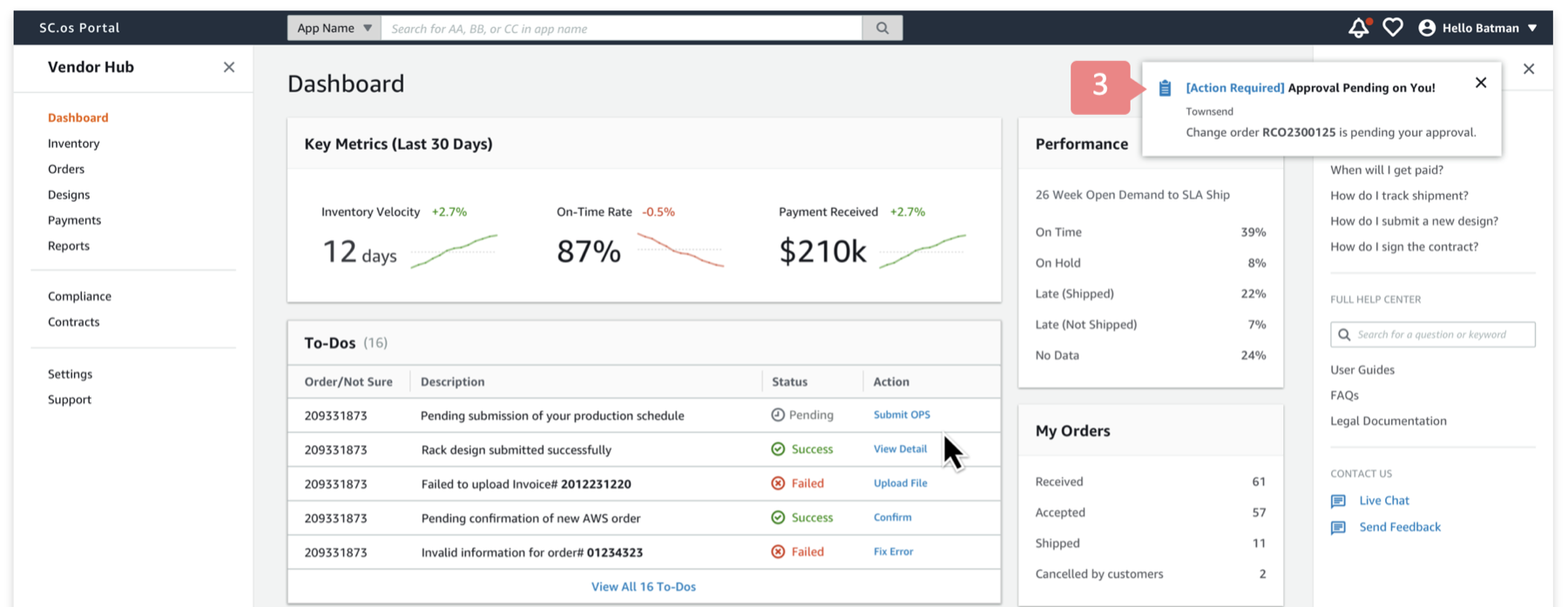
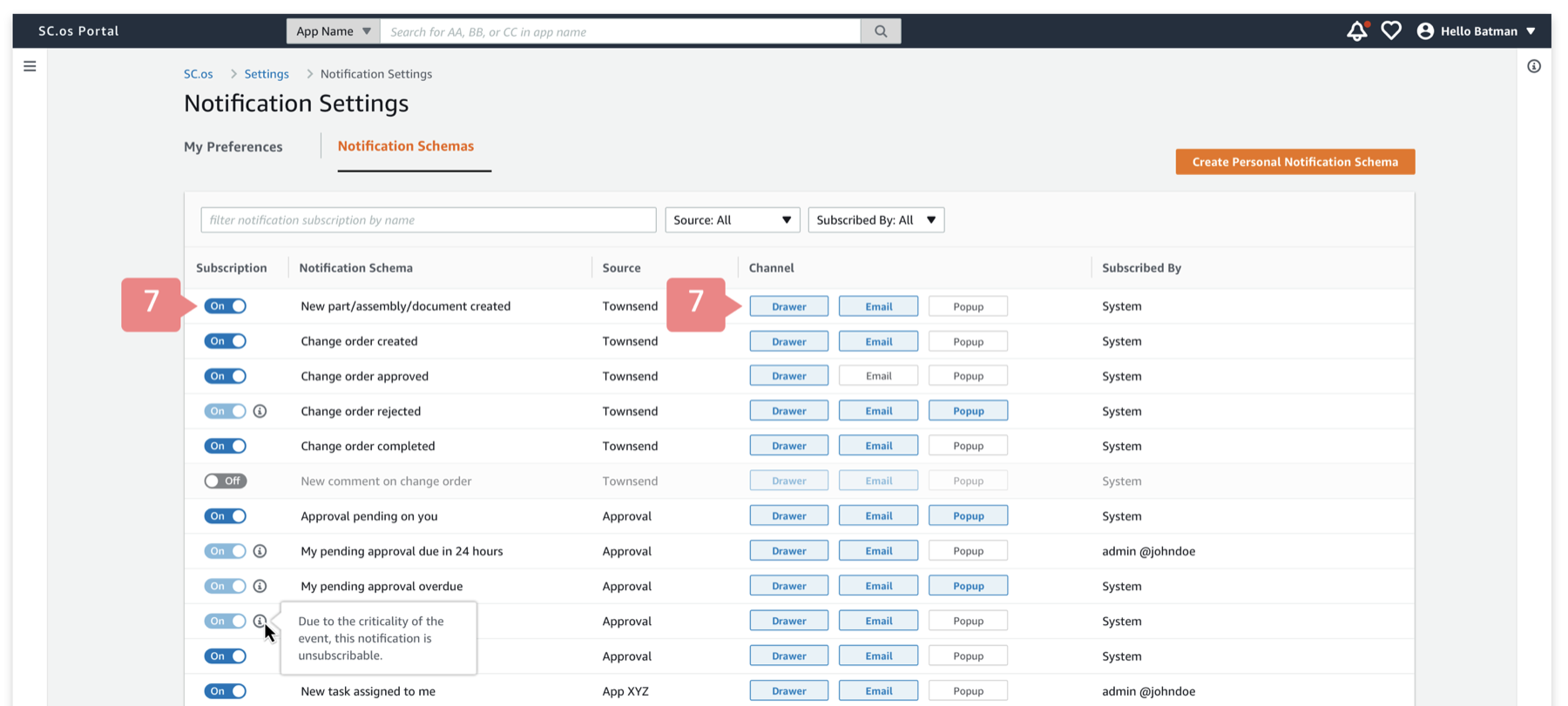
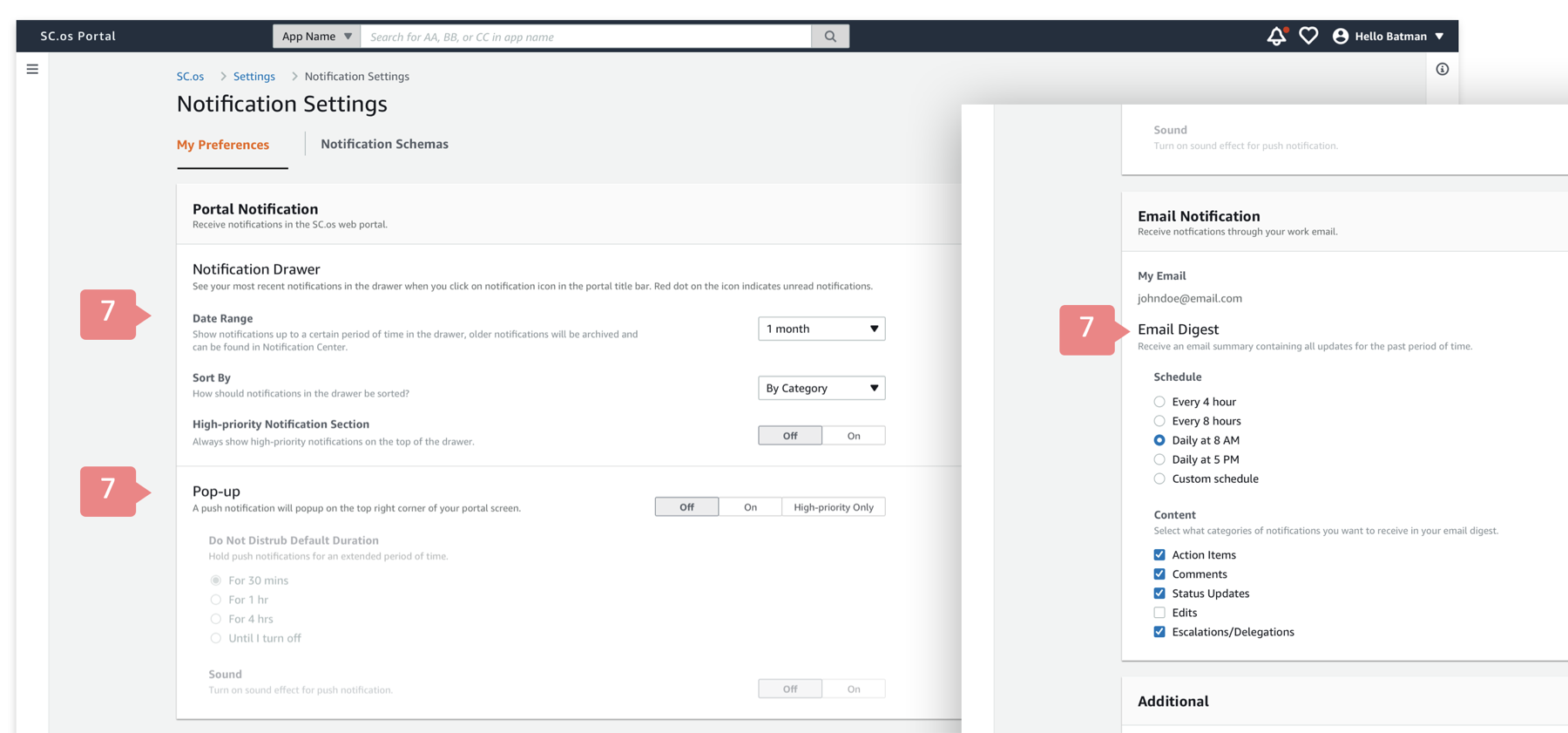
- Be conservative with pop-up notifications: In our system, not every notification will be a pop-up. When a notification schema is defined, people need to explicitly select the delivery channel of the notification.
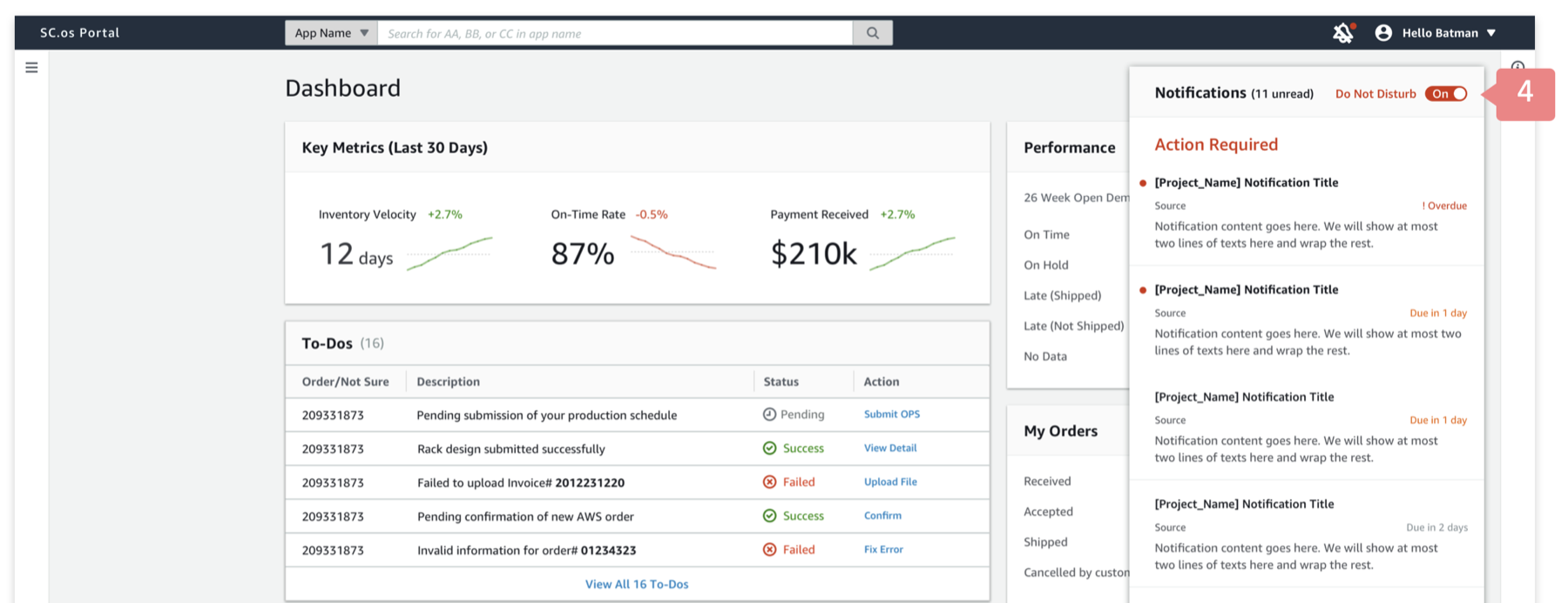
- "Do Not Disturb" mode: Many of our users engage in complex workflows and data-heavy tasks, they often need to focus on the tasks at hand without being interrupted. Therefore, I designed the “Do Not Disturb” mode, which will disable any notification pop-ups temporarily.
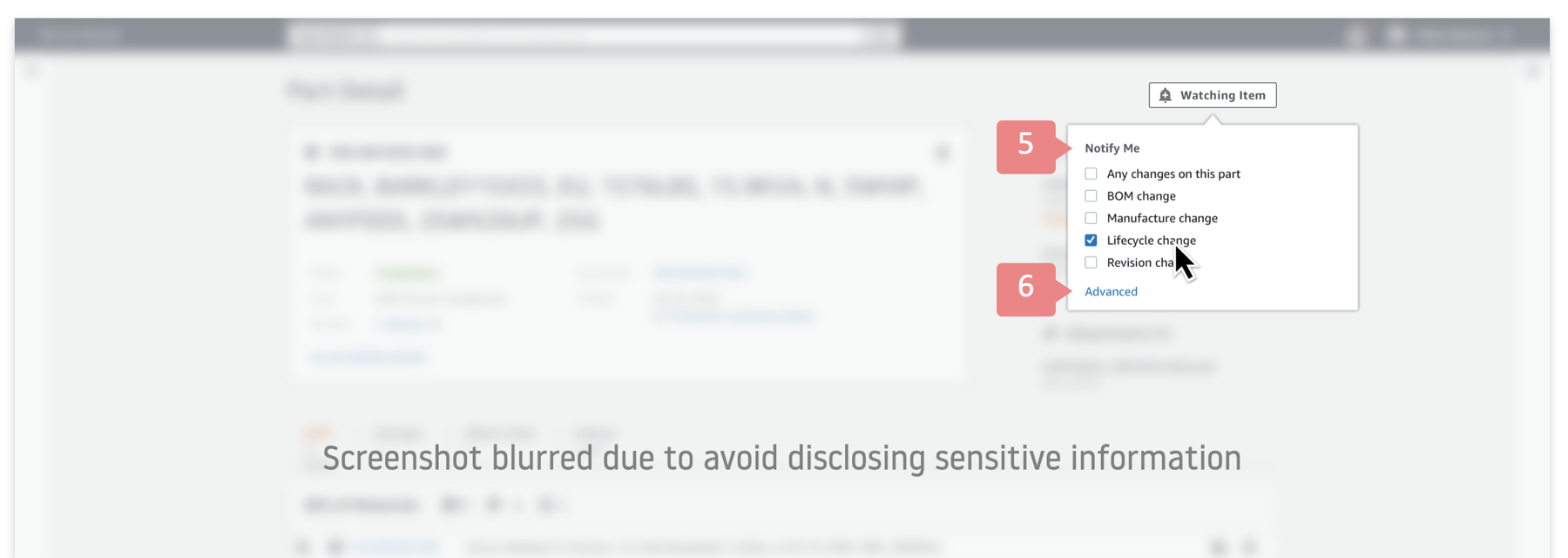
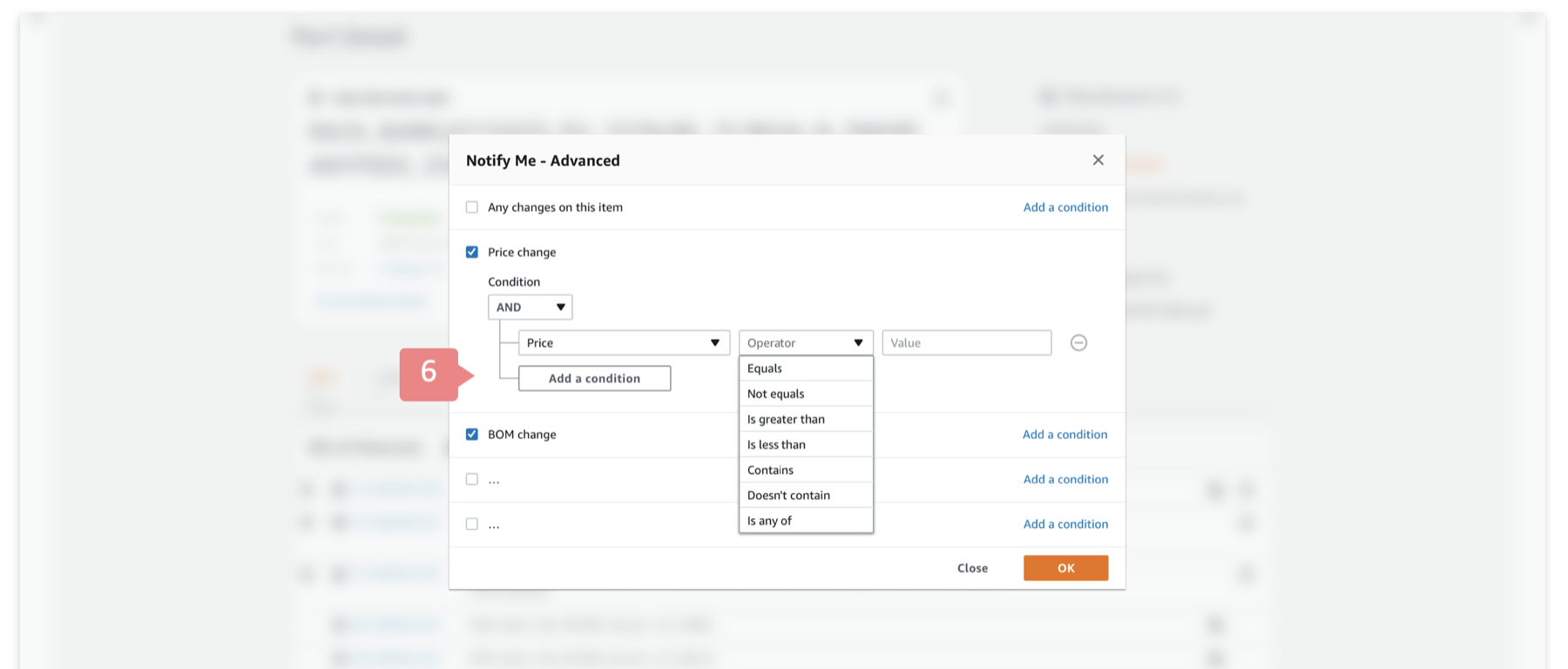
- Self subscription: Since each person knows what types of supply chain events/updates they care about the most, I introduced the self subscription feature, so that users can click on the “Watch item” button to sign up for relevant updates.
- Self subscription at various granularity: In my user research, one thing I learned is that different users may care about different types of updates on the same item. For example, hardware engineers care about a hardware component change from the vendor, while the finance manager only cares about its price change. Therefore, the self subscription feature I designed allows people to specify what exactly they want to be notified of.
Furthermore, some users mentioned they only care about changes when the change is significant enough. For example, as a finance manager, when the price change is less than X%, they consider it as normal fluctuation; and they only care about it when the price change is over certain threshold. Therefore, I designed the condition builder that allows people to set advanced conditions. - My notification settings: To give users the control since they know their own needs the best, I designed the notification settings page to allow users to customize what notifications they want to receive and how they want to receive them.
- User feedback loop: In fact, lots of notifications users receive actually come out of box. Therefore, I wanted to instrument a mechanism to collect user feedback to gauge the relevance of these notifications, so we can optimize our algorithm accordingly.
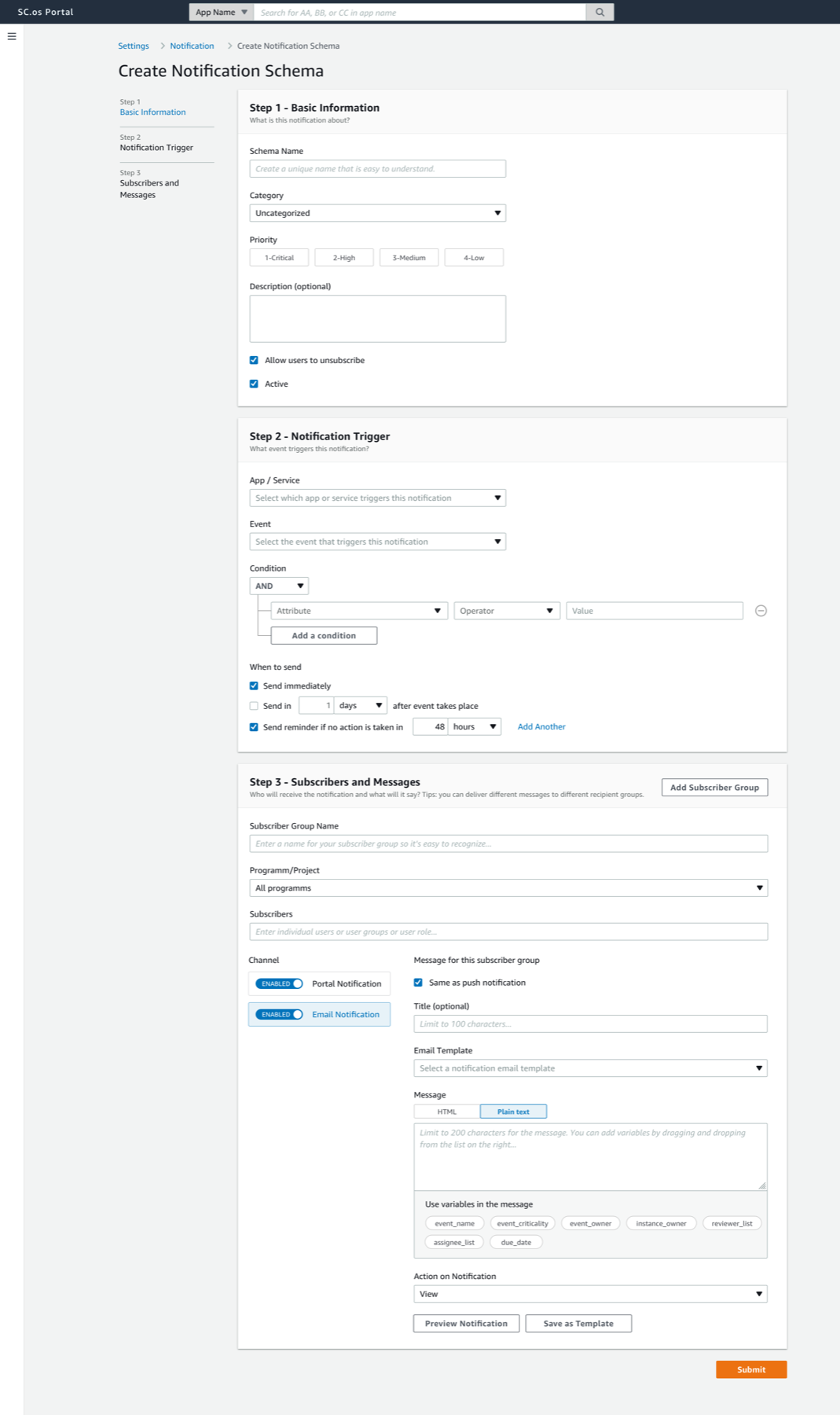
- Admin users create new notification schema: Admin users can easily create notification schemas and assign them to users/user groups.
8. A Challenge: Collect Use Cases and Define Notification Schemas
Besides the ambiguity of the problem and undefined scope of the project from the start of the project, another challenge we encountered was we didn't have specific use cases to create concrete notification schemas from. For example, we don't know what events in the system should trigger a notification, and who should receive the notification, and what should it say.
To drive the project forward, I stepped up and talked to lots customers to understand and map out their workflow, worked with them to identify where notifications are needed, and categorized each case by notification prioritization and delivery channel. And eventually consolidate those into a notification schema like this:
When X event takes place, send Y user/group Z message through channel A.

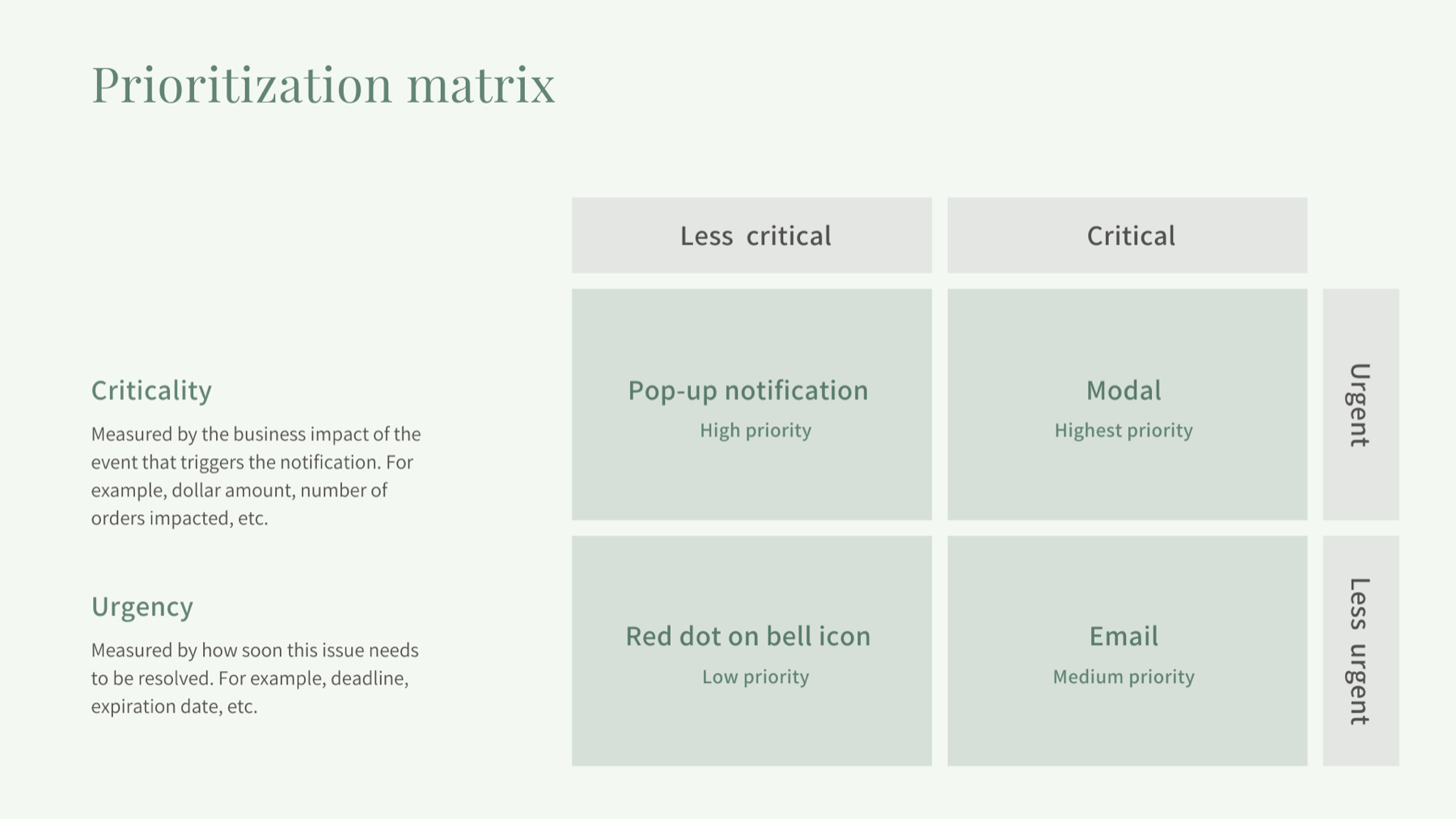
We prioritize notifications based on the criticality and urgency of the message.
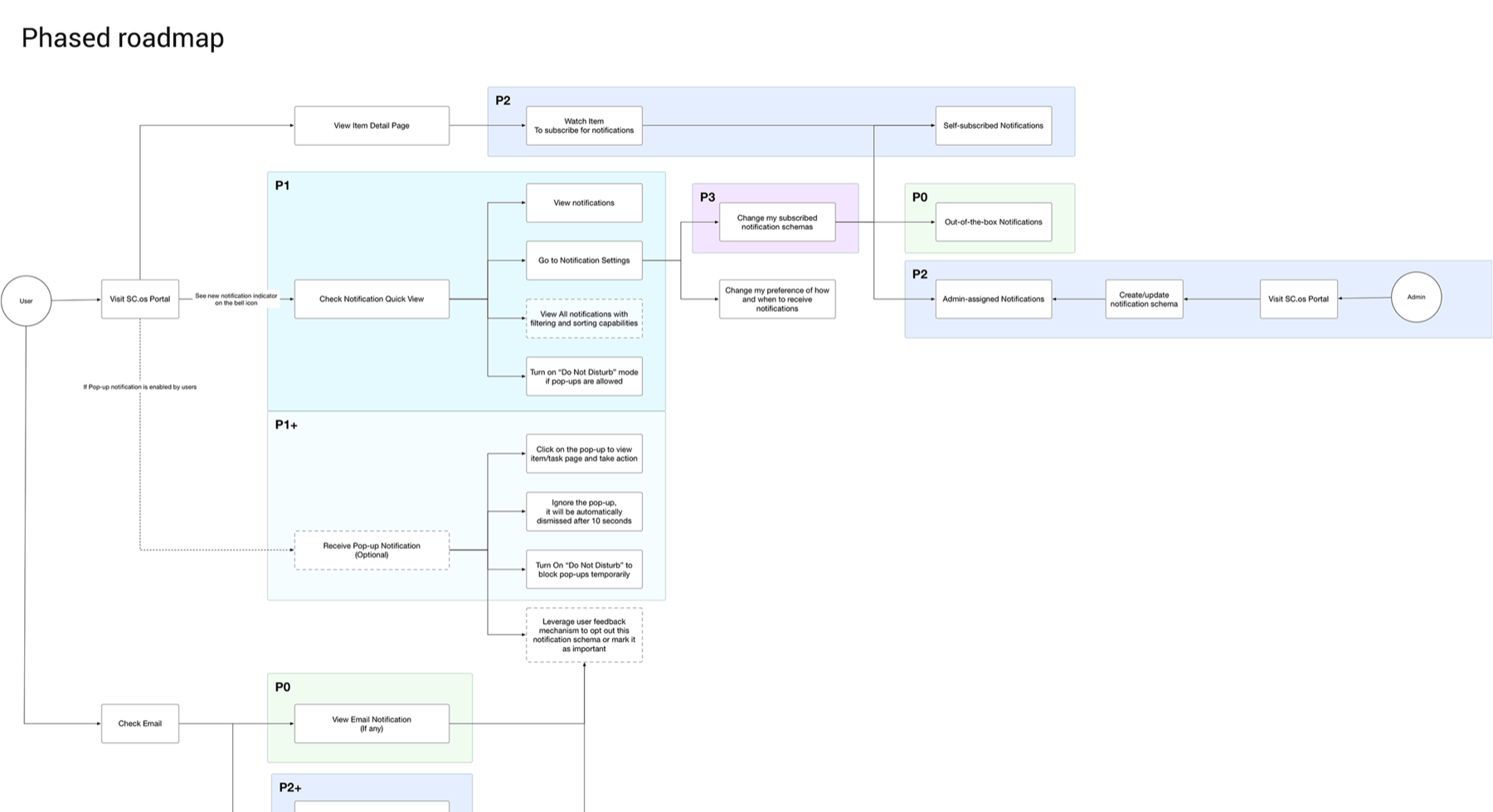
Besides, I broke the entire design into phases to help engineers scope their work.
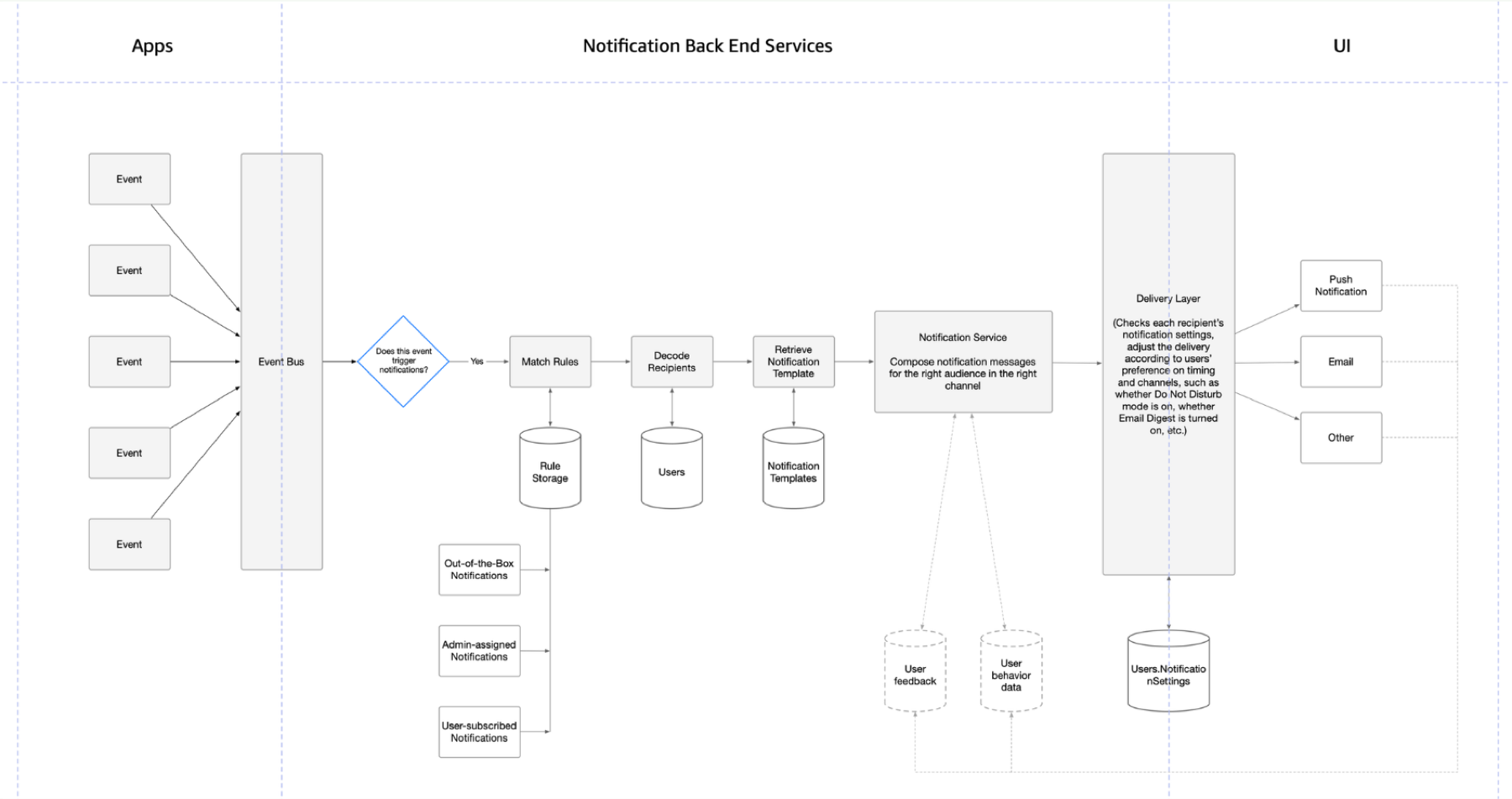
Additionally, with some background knowledge in engineering, I worked with engineers to design the data model, and mapped out the backend systems and how the systems interact with each other.
By stepping up and filling the gap, I unblocked my team and ensured we were able to deliver the solution on time. The following diagram shows the notification use cases I collected for a particular workflow. And the next one illustrates how I worked with the engineer manager to break the design into multiple phases so deliver iteratively.
9. Results & Impact
As the AWS Supply Chain Automation organization, we measure our org success by how efficient and reliably we are delivering server racks to data centers.
- Rack delivery to data centers on time: Increase from A% to B% (can't disclose the numbers here)
- Average number of notifications received per user: 350+ -> 40+