AWS Supply Chain Management Solution
- Solis UI Component Library
1. Project Summary
The product
As a business, AWS provides cloud computing and storage capacities to other companies. Behind the scene, the cloud is powered by thousands of server racks running in our data centers. My organization builds the supply chain management (SCM) solution, which enables AWS to plan, design, manufacture, procure, transport, and deploy server racks in our data centers to power the cloud.
There are 30+ applications running on AWS SCM platform. To champion for great customer experiences at scale, we need to drive consistency across the organization. Establishing a shared design language is essential to drive towards this goal.
The challenge - our current design system
Due to our limited resources and bandwith, we don't have our own design system but use AWS' Polaris design system. It is intended for very different users and use cases, therefore, we often find Polaris doesn't provide the UI components we need in order to shape a great supply chain product experience.
My biggest contribution
- Design leadership: After spotting the opportunity to evolve our design system to help raise the bar of customer experiences we ship, I initiated and drove the Solis project, aiming to enhance Polaris by building addtional common components for our product use cases.;
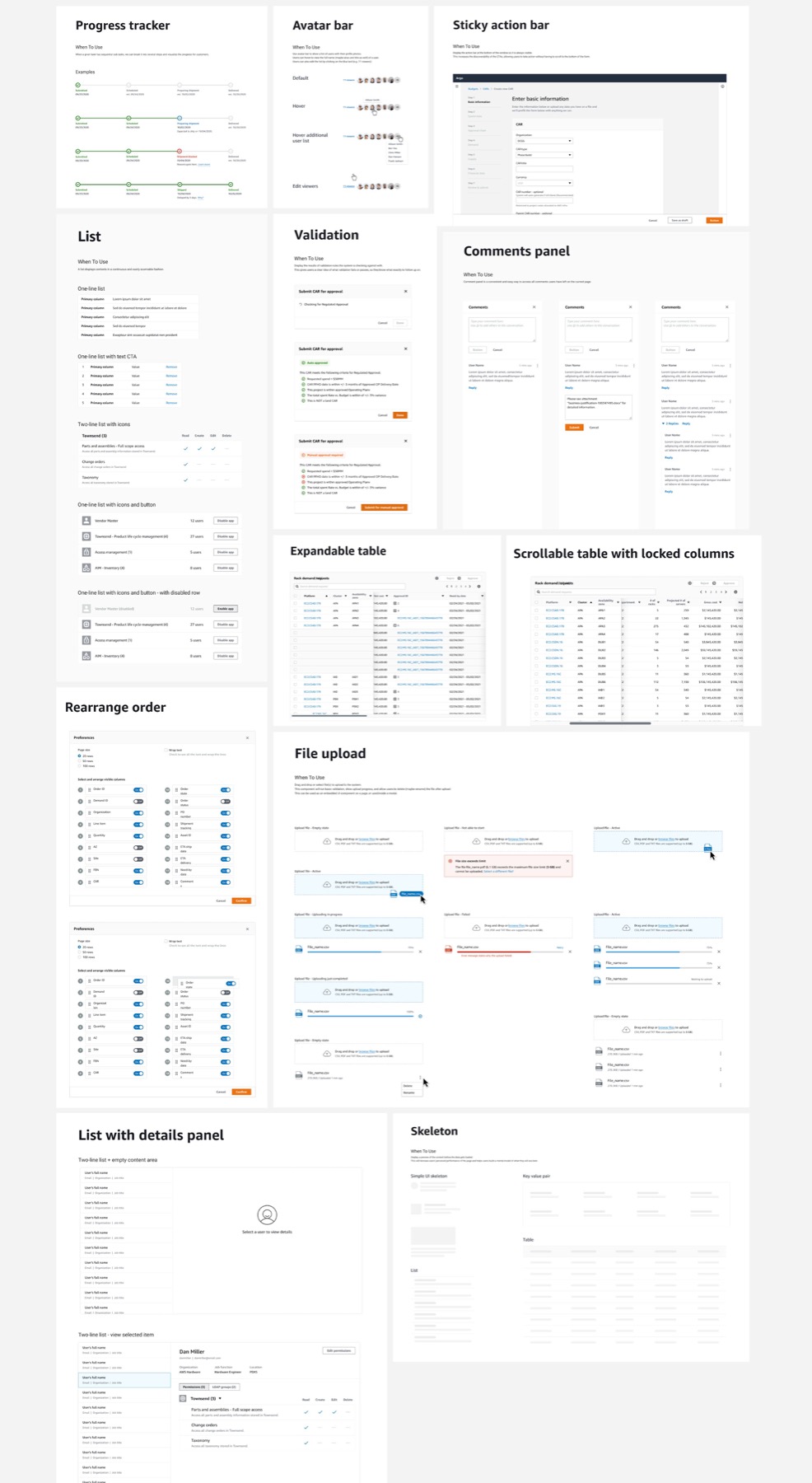
- Design execution: I identified and designed 10+ UI patterns commonly used across AWS SCM product suite;
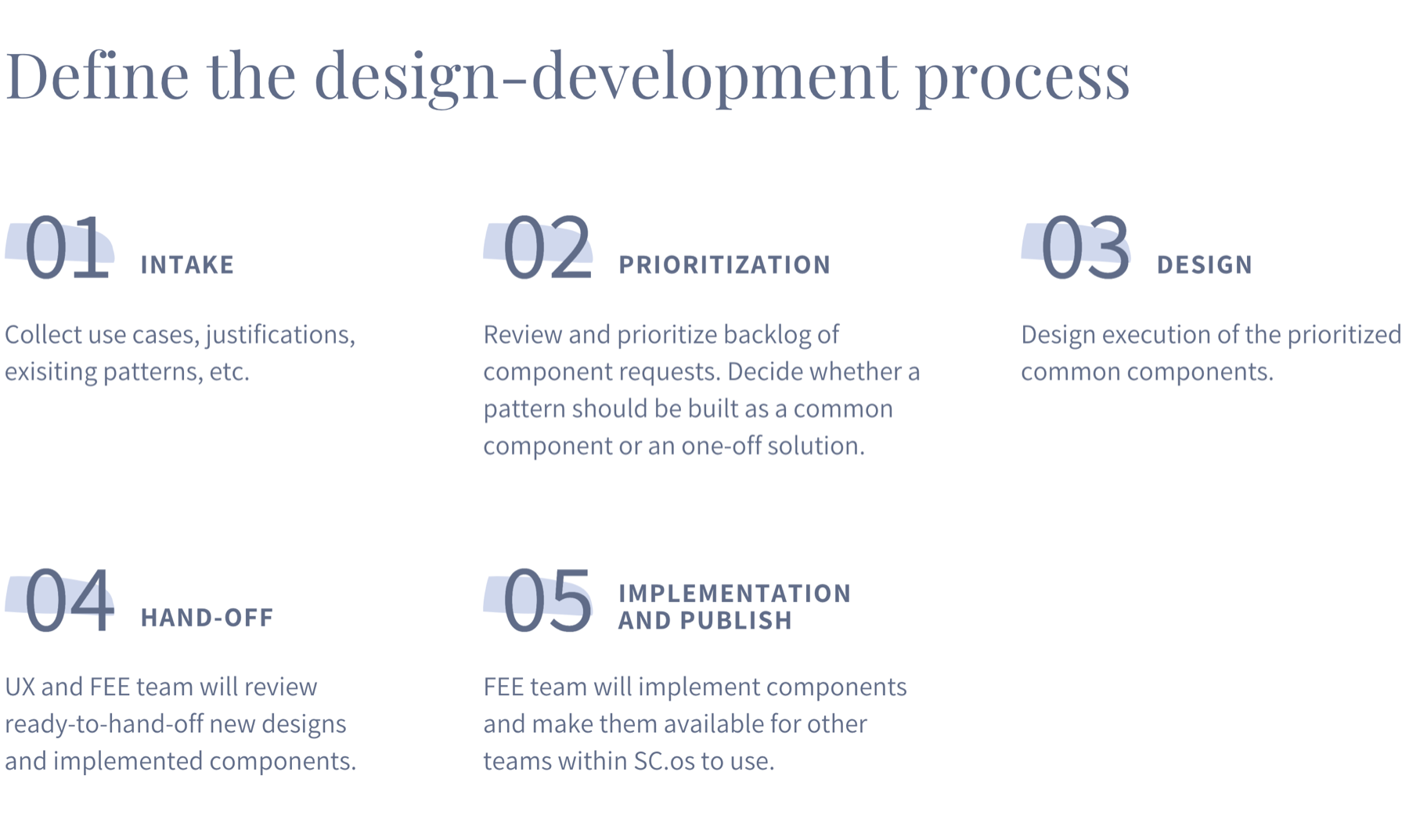
- Mechanisms: I established the design - development process including intake, prioritize, design, hand-off, development, publish phases;
- Influence and collaboration: socialized the project with cross-functional partners and senior leadership, gained buy-in to push the project foward.
2. My philosophy
- As an organization, we need a living collection of guidelines and re-usable design patterns that help teams deliver consistent customer experiences at scale.
- However, with 30+ teams moving at full speed, it’s inevitable that teams will run into use cases that are not well supported by our existing design system.
- Therefore, we aim to build consistent and reusable user experiences while acknowledging the need to innovate when necessary.
- However, routinely breaking from our design guidelines will result in disparate, disconnected experiences. We have to be rigorous about why we are breaking away the convention and what the benefits are.
3. My approach
- Identify opportunities for where new UI or interaction patterns are needed.
- On a bi-weekly basis, I lead a meeting where we showcase identified patterns with other designers to gauge whether it should be a common component or just an one-off design solution.
- Design the new component, review with other designers and iterate, get it signed off, and hand off to front-end engineers for implementation.
- Repeat the process.
My worksheet to prioritize and track the work
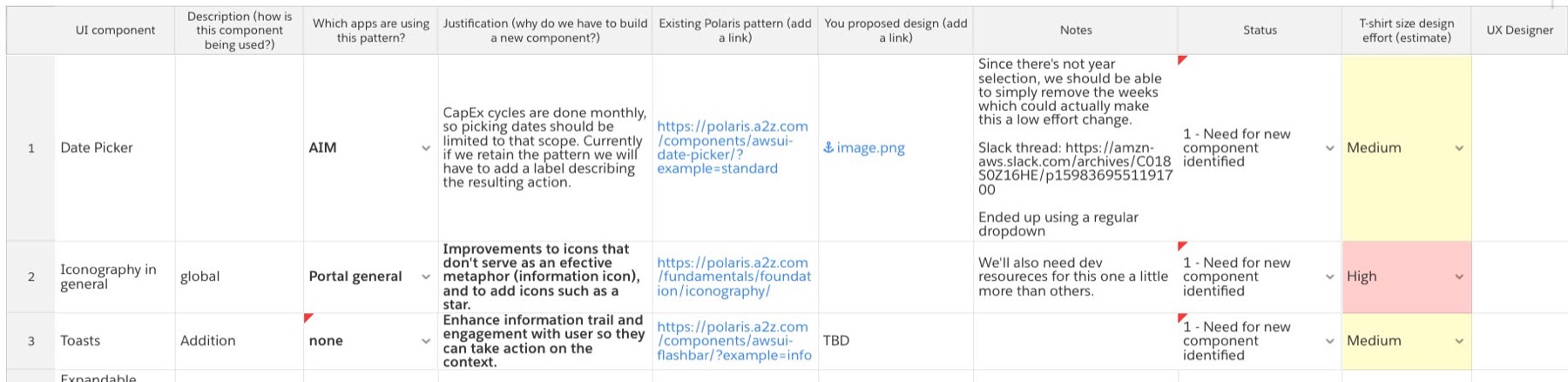
Guiding quetions for step 2
- Is there a valid use case that is NOT supported by existing design patterns?
- Would it be unacceptable customer experience (e.g. increase chances of human errors, leave users confused, reduce users’ productivity.), if we stick to existing patterns?
- Is the team proposing a valid solution?
- Can we reuse the proposed solution for other applications and use cases?
- Is the platform team or other application team building something to solve a similar problem?
4. Case study - Inline Editing
Inline editing for a form or container
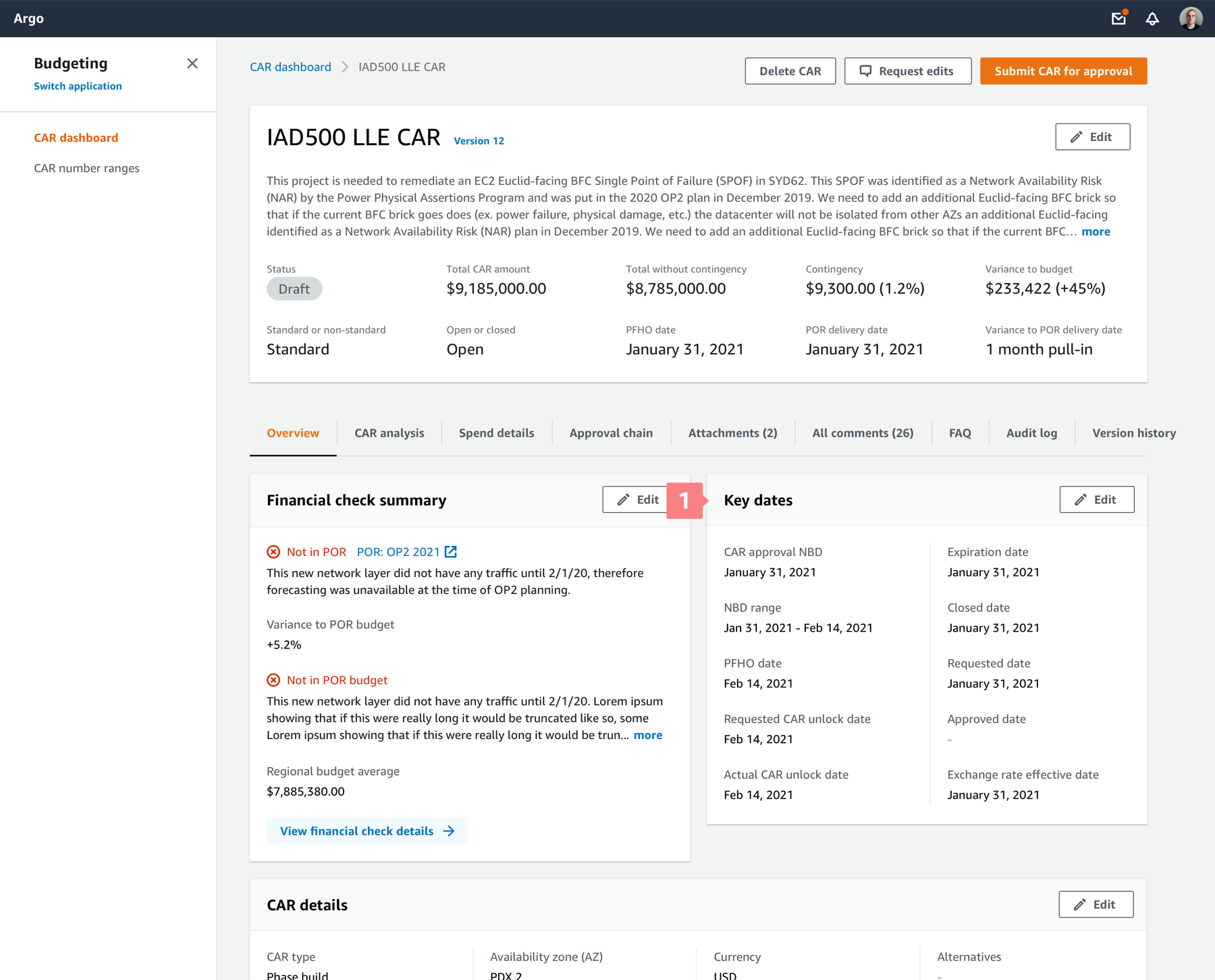
Our design system is a container-based system.
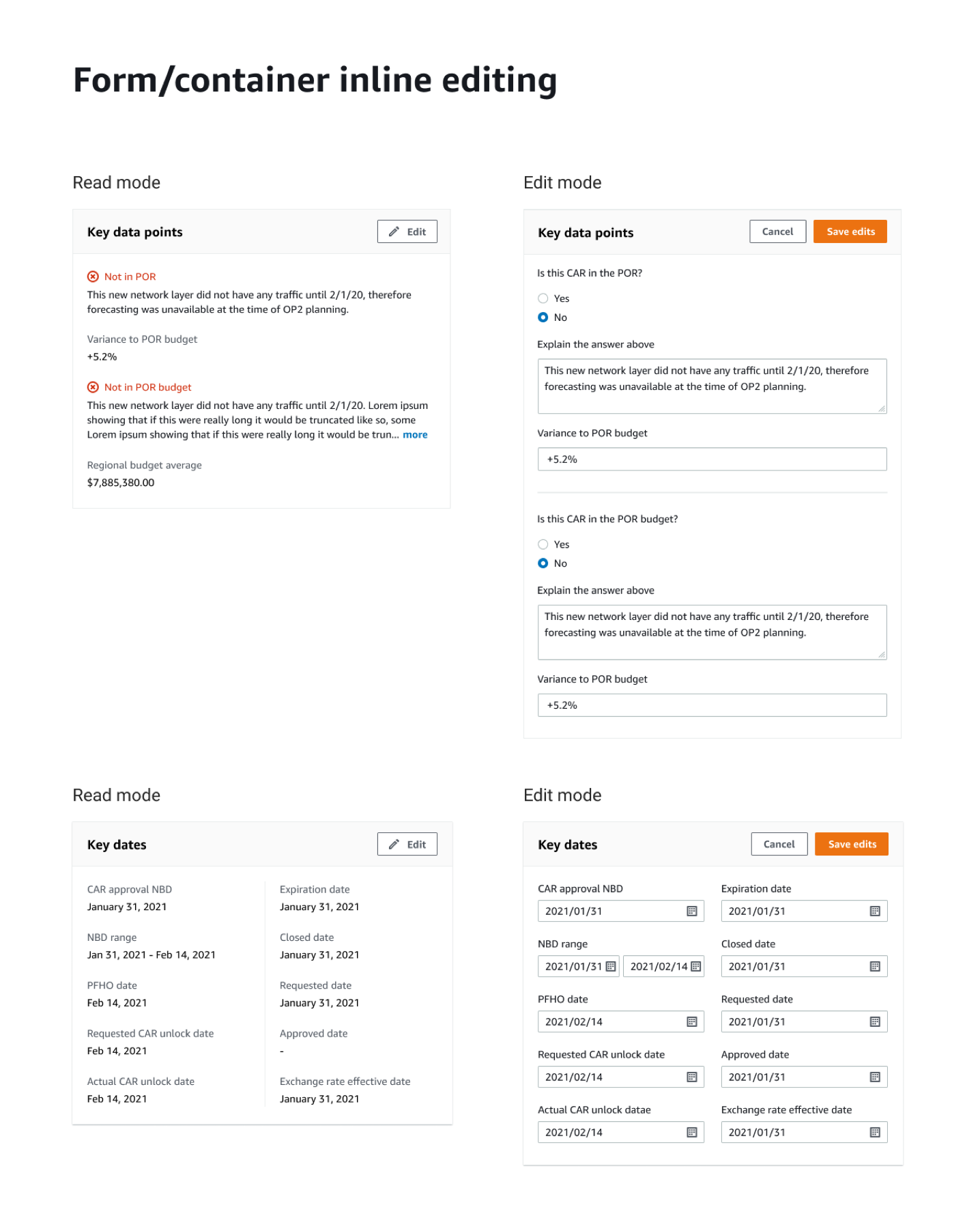
1. Read-only mode of a container. When users need to make changes to elements inside a container, they can click on the Edit button on the top right corner of the container.
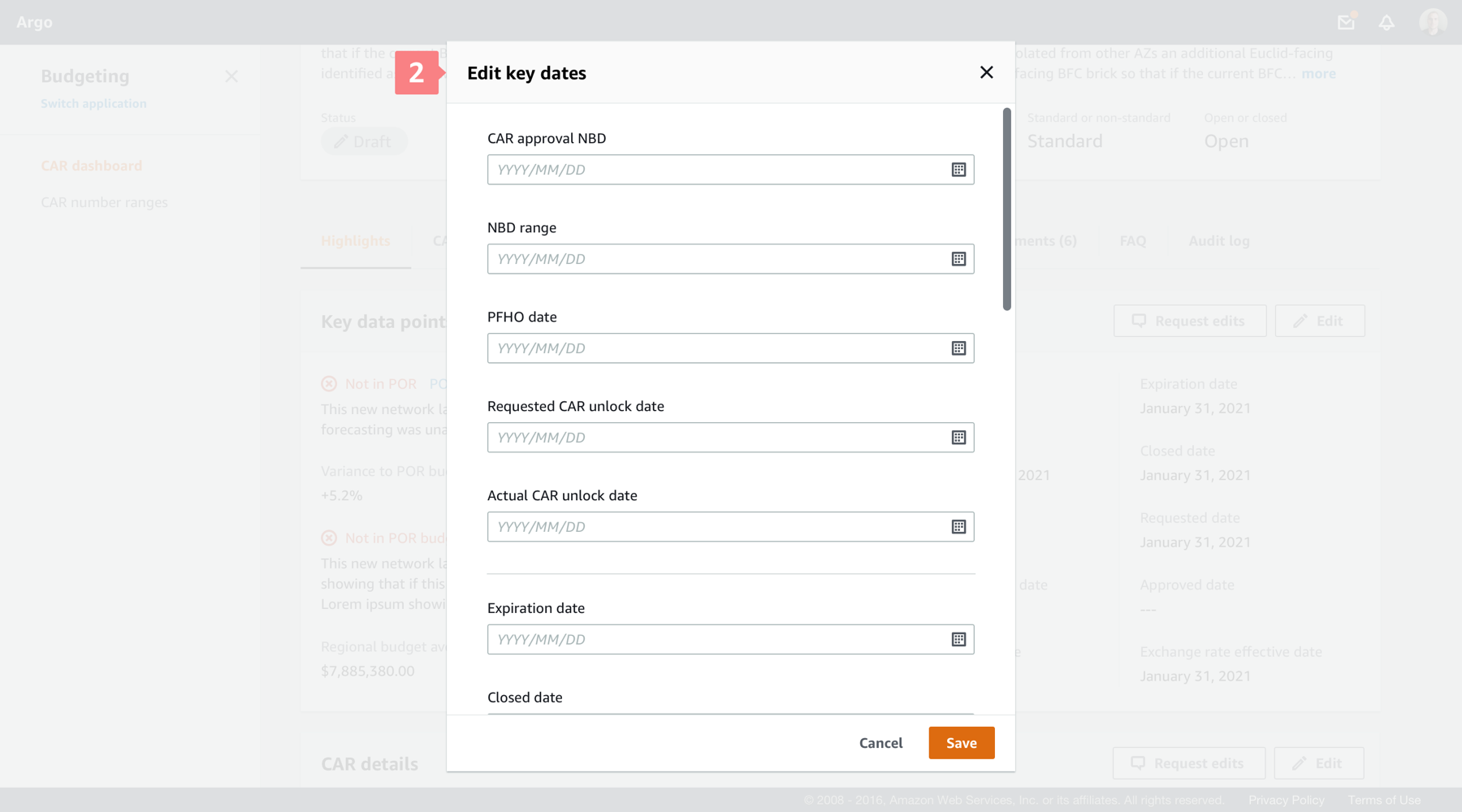
2. Edit mode in existing design system - model. In Polaris design system, the default behavior is the page turns the read-only container into a modal with editable fields. The problem is, the look and feel of the read mode and edit mode are very inconsistent, which confuses users and takes them a few seconds to adjust.
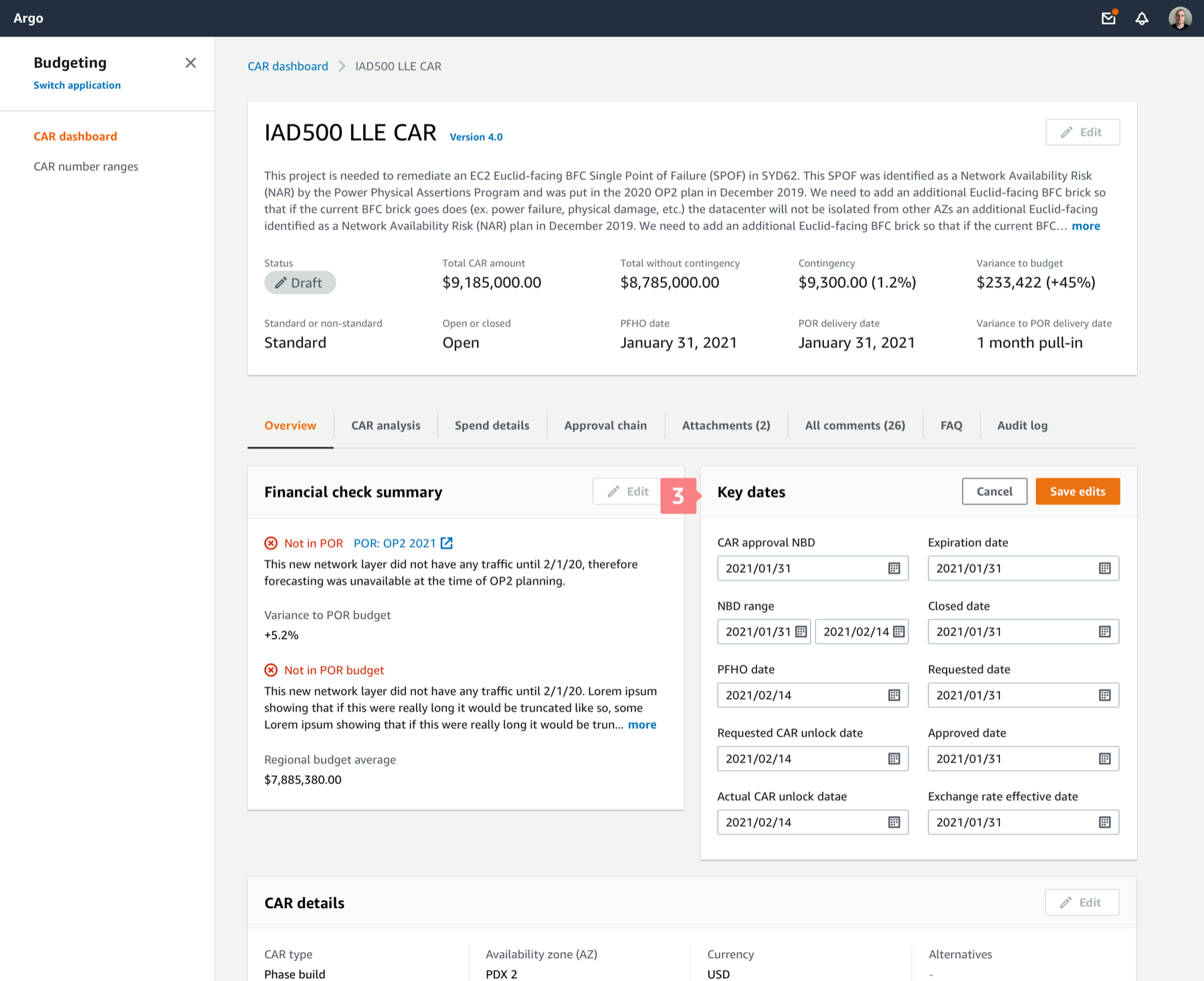
3. Proposed edit mode - inline editing. I proposed the inline editing pattern, where the container remains the same while only the texts inside turn into editable fields.
Inline editing for a table
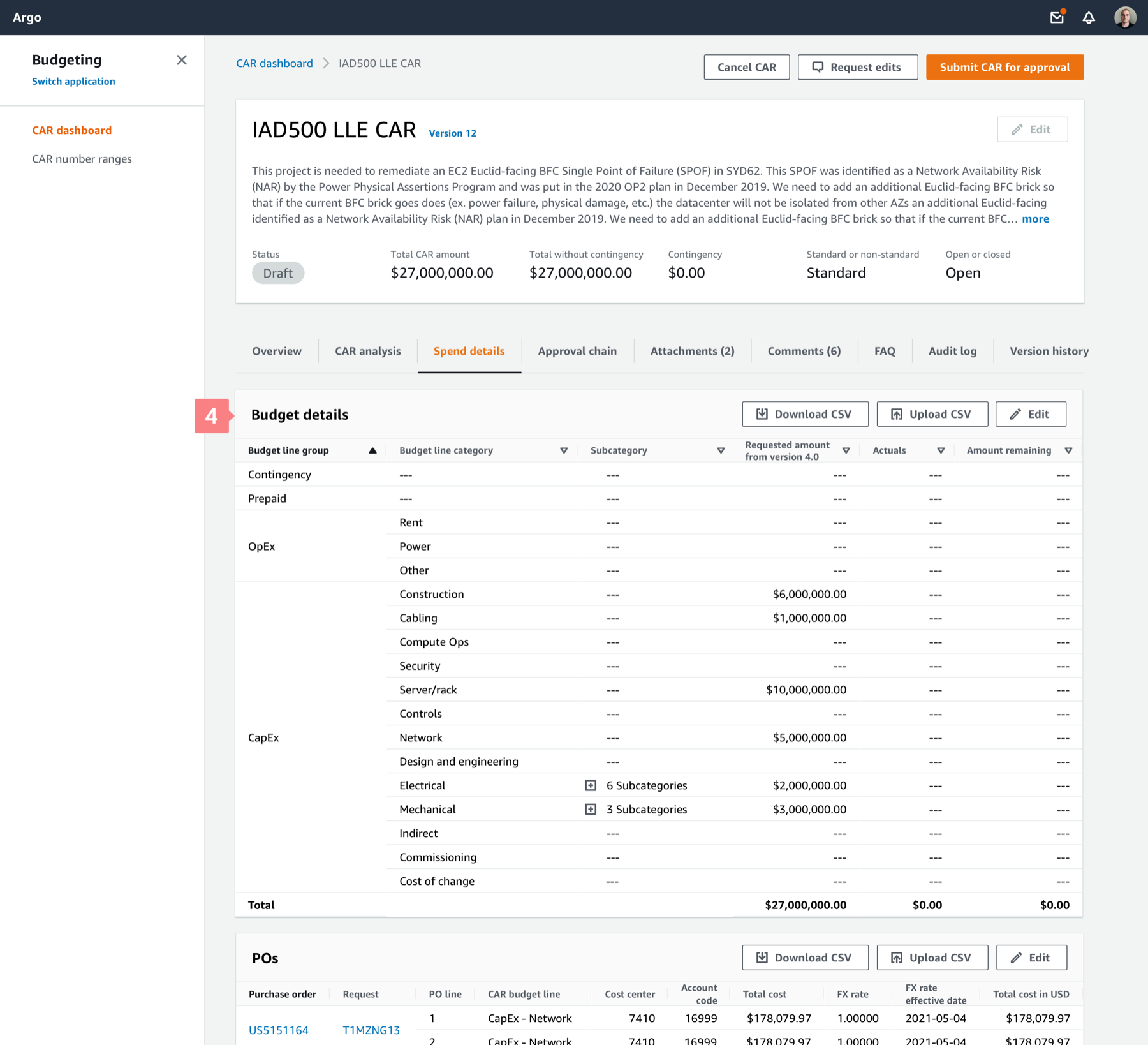
4. Edit data inside a table requires downloading the file first. Previously, the only way to update a data table is by downloading the .CSV file first, making changes in Excel, then uploading it back to the system. This was a very cumbersome and disjoined user experience.
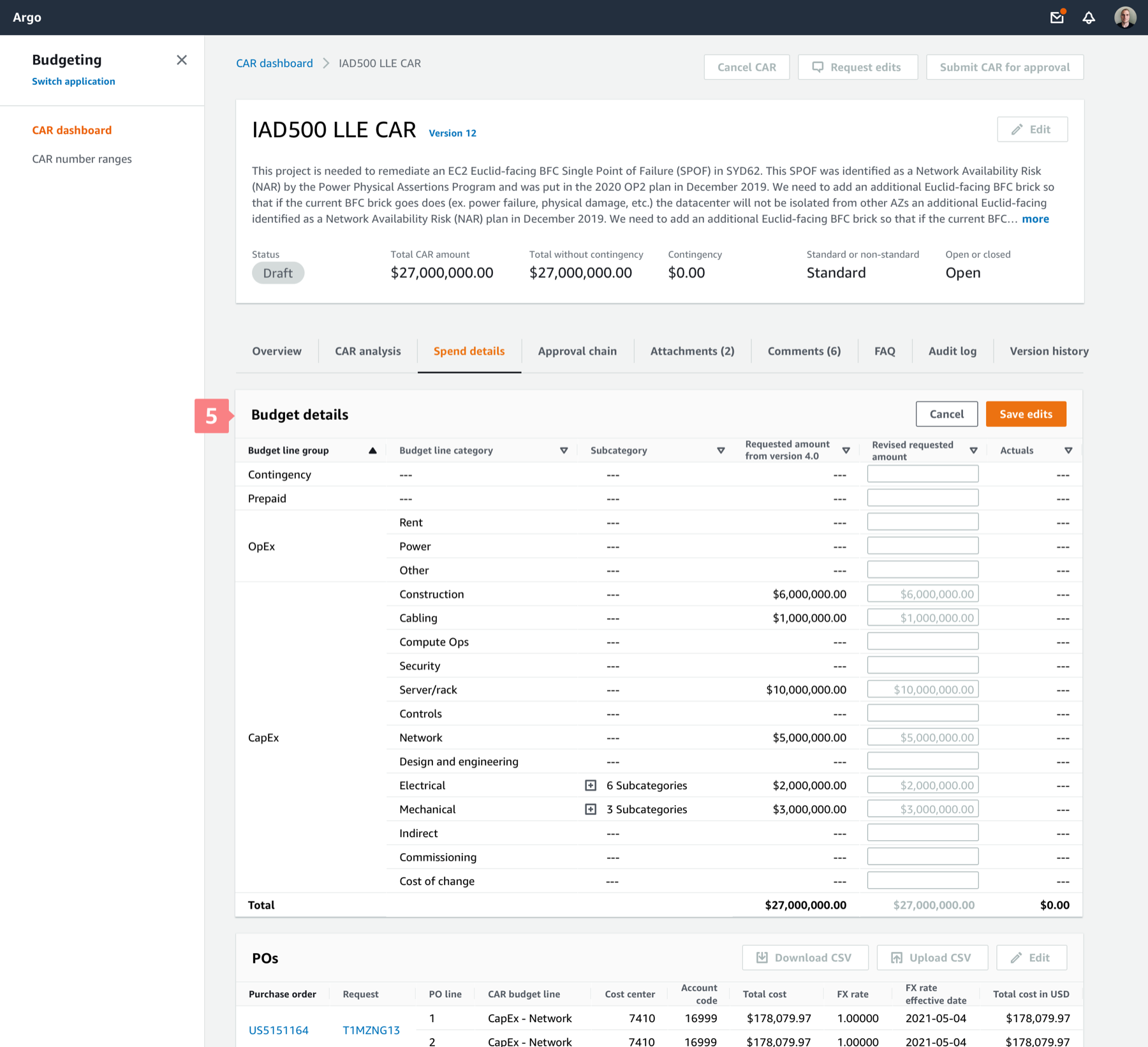
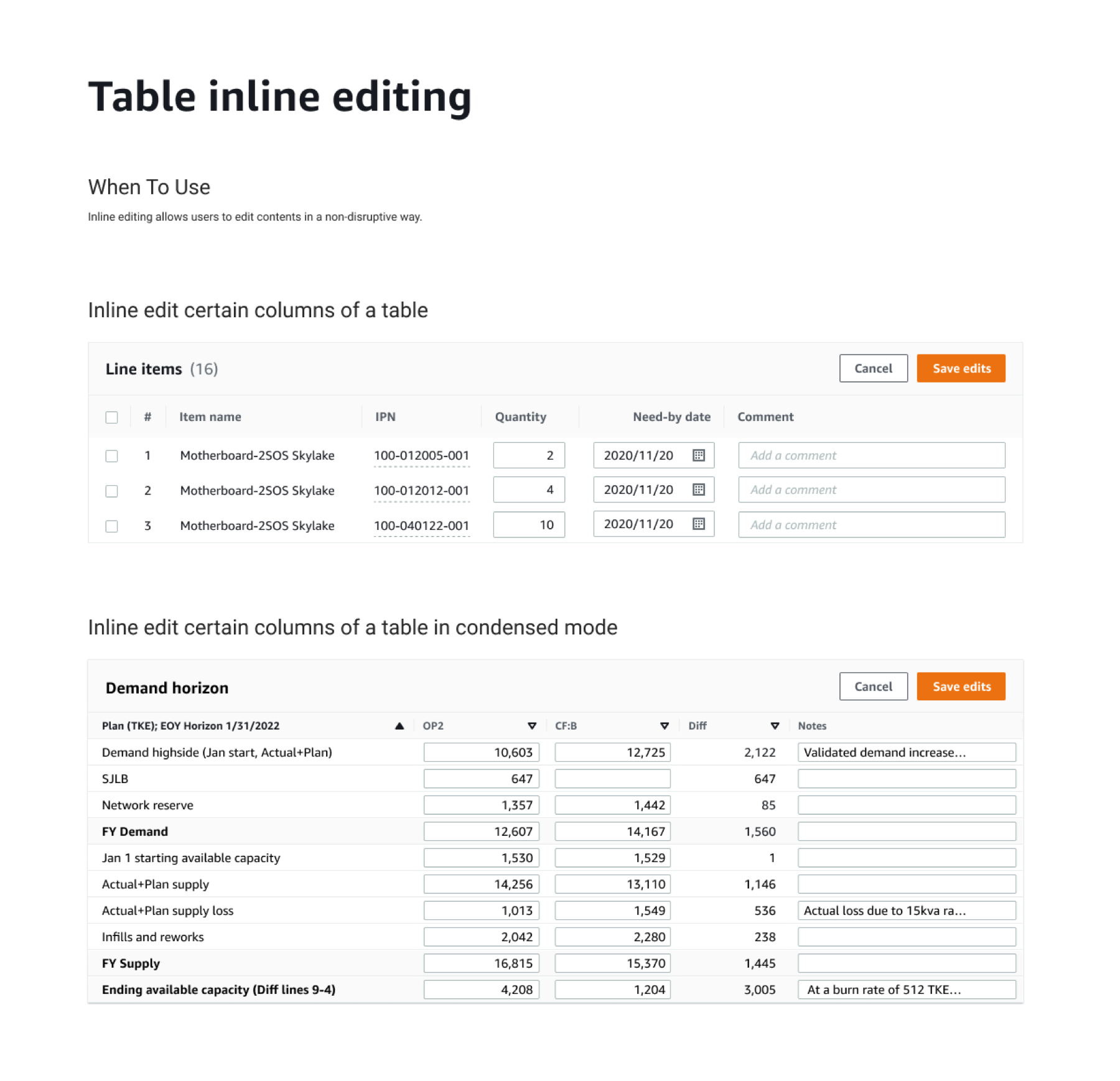
5. Proposed inline-editing mode of a table, where the table will turn editable columns into input fields. Users can make changes in the table UI directly.
Final inline editing patterns defined in Solis common component library
5. Other Solis common components
6. Build alignment
I advocated for the project, built alignment with cross-functional team and got buy-ins from senior leadership. I made the case by mentioning its benefits:
- Adopting common components increases our product consistency, which helps improve quality of customer experience we ship.
- It increases team velocity and reduce repetitive work.
- It eliminates random design decisions, subjective opinions, biases and ego. Boost communication and collaboration.
7. Standardize the process
8. Results & Impact
- Led the initiative to enhance our common design language across products;
- Identified and designed ~20 common UI patterns;
- Influenced leadership and cross-functional partners to get their buy-ins.
- Documented design guidelines and best practices to help teams understand when and how to use those patterns.